
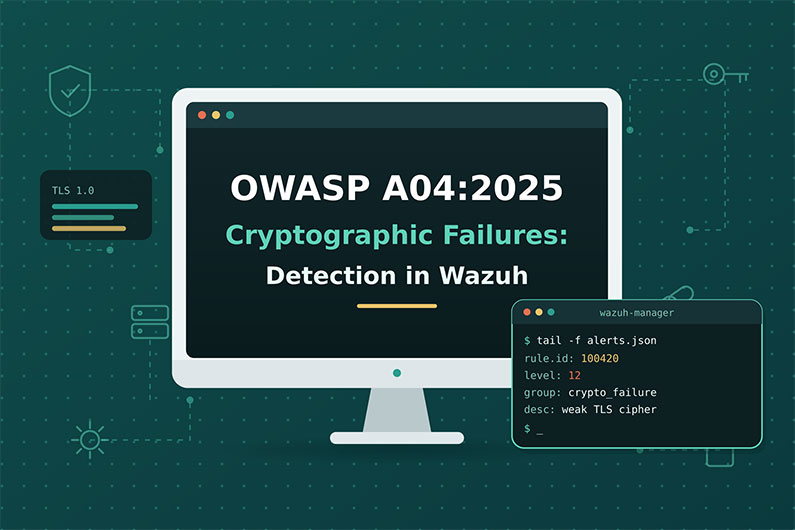
Cryptographic Failures (OWASP A04:2025): Detecting Weak TLS and Reset Tokens with Wazuh
Cryptographic failures happen when sensitive data is not protected with strong, correctly used cryptography. Examples include logins sent over plain HTTP, servers that still accept TLS 1.0, passwords stored as fast unsalted hashes, private keys stored where attackers can read them, and password reset tokens that can be predicted. The category is A04 in the OWASP Top 10:2025.
Cryptographic failures are hard for a SOC because many attacks happen outside the victim’s systems: offline password cracking and passive sniffing leave no logs. This article explains how these weaknesses are exploited, what indirect evidence they leave, how to detect them with Wazuh SCA, auditd and custom rules, and how a SOC investigates a hypothetical account takeover caused by predictable reset tokens.
This guide is part of the series OWASP Top 10 for SOC Analysts: Web Attack Detection and Investigation with Wazuh. For HTTP basics, how to read access logs and how Wazuh decodes web logs, see the web attack fundamentals in that guide. The official OWASP description of this category is at OWASP A04:2025 Cryptographic Failures.
Table of Contents
- What Are Cryptographic Failures?
- How Cryptographic Failures Are Exploited
- Cryptographic Failure Attack Examples
- Cryptographic Failure Indicators and Evidence
- How to Detect Cryptographic Failures with Wazuh
- Practical SOC Investigation Scenario: Predictable Password Reset Tokens
- Incident Response Process
- Prevention and Remediation
- Related OWASP Categories
- Frequently Asked Questions
- Conclusion
- Continue the OWASP Top 10 Series
- References and Further Reading
What Are Cryptographic Failures?
Definition: Cryptographic Failures happen when sensitive data is not protected with strong, correctly used cryptography, for example data sent without encryption, weak or outdated algorithms, passwords stored with fast hashes like MD5, leaked or hardcoded keys, or random values that are predictable.
Key terms:
- Encryption in transit protects data moving across a network, usually with TLS. HTTPS is HTTP over TLS.
- Encryption at rest protects stored data, such as database files and backups.
- Hashing turns data into a fixed value that cannot be reversed. Passwords should be stored with slow, salted password hashing functions such as Argon2, scrypt, yescrypt or PBKDF2, as OWASP recommends.
- Salt is a random value added to each password before hashing so identical passwords produce different hashes.
- Deprecated algorithms are old ones that are no longer safe, such as MD5, SHA1, DES, or the protocols SSLv3, TLS 1.0 and TLS 1.1.
- Key management covers creating, storing, rotating and revoking keys. An HSM (Hardware Security Module) is a device that protects keys.
- CSPRNG (Cryptographically Secure Pseudo Random Number Generator) creates unpredictable values. A normal random function is not good enough for tokens.
- HSTS (HTTP Strict Transport Security) is a response header that tells browsers to always use HTTPS for the site.
What weakness it represents: OWASP describes failures related to lack of cryptography, weak cryptography, leaked keys and related errors. Notable CWEs include CWE-327 (broken or risky algorithm), CWE-331 (insufficient entropy) and CWE-338 (weak pseudo random number generator).
Why it happens:
- Developers write their own crypto or use insecure defaults.
- Legacy systems keep old protocols for compatibility.
- Keys are stored in source code or config files.
- Teams do not classify which data is sensitive.
- Normal random functions are used for security tokens.
Why attackers target it: Weak crypto turns a small foothold into large data theft. A stolen database with MD5 password hashes can be cracked quickly. Predictable tokens let attackers take over accounts without passwords.
What can happen after successful exploitation: Exposure of passwords, card data, health data and personal data; session or token forgery; account takeover; regulatory fines under laws such as GDPR and standards such as PCI DSS.
Business assets affected: customer personal data, payment data, password databases, API tokens, TLS private keys, backups.
How Cryptographic Failures Are Exploited
- What the attacker needs first: Usually another position or foothold, such as network position (public Wi Fi, a compromised router), a stolen database or backup, a leaked key, or the ability to request many tokens and study them.
- What is targeted: Login and payment traffic, password storage, token generation (password reset, session IDs), key files, backups.
- What the attacker sends or changes:
- Observes or downgrades unencrypted traffic.
- Cracks weak password hashes offline.
- Requests several tokens, finds the pattern, and predicts the next one.
- Uses a leaked key to decrypt data or sign tokens.
- What the vulnerable application does: Sends data in clear text, accepts weak protocols, issues predictable tokens, or stores data with weak protection.
- How the attacker exploits it: Reads intercepted data, logs in with cracked passwords, or uses a predicted reset token.
- What happens on success: Data disclosure or account takeover.
- Evidence left behind: This is the hard part. Offline cracking leaves no logs at the victim. Evidence is often indirect: sensitive values in URLs, logins over plain HTTP, weak TLS versions negotiated, reads of key files by unusual processes, many reset requests followed by successful resets, or logins from new places after a database leak.
Cryptographic Failure Attack Examples
Example 1: Predictable password reset tokens
- Situation: A membership website creates password reset tokens from the current time in seconds plus the user ID, then encodes them. This is not a CSPRNG (
CWE-338). - Attacker objective: Take over a target user’s account.
- Attacker actions: Requests resets for their own account several times, notices that tokens change in a predictable way, then requests a reset for the victim and computes likely tokens for that second.
- Representative access log entries:
203.0.113.60 - - [06/Nov/2026:09:00:01 +0000] "POST /password/forgot HTTP/1.1" 200 312 "-" "Mozilla/5.0"
203.0.113.60 - - [06/Nov/2026:09:00:03 +0000] "GET /password/reset?token=MTc5Mzk1NTYwMF80MjE= HTTP/1.1" 400 210 "-" "python-requests/2.31.0"
203.0.113.60 - - [06/Nov/2026:09:00:03 +0000] "GET /password/reset?token=MTc5Mzk1NTYwMV80MjE= HTTP/1.1" 200 2048 "-" "python-requests/2.31.0"
- Vulnerable behavior: The server accepts the predicted token.
- Attempt versus success: Many
400responses on/password/resetare attempts. A200followed by aPOSTthat sets a new password, and then a login from the attacker IP, shows success. - Impact: Account takeover. The root cause is weak randomness, which is A04. The visible symptom (account takeover) is close to A07, which is why the category comparison section compares them.
Example 2: Sensitive data sent without proper protection
- Situation: An insurance company has an old claims portal. The main site uses HTTPS, but an old HTTP virtual host still accepts logins on port 80, and a search feature puts the policy holder’s national ID in the URL.
- Attacker objective: Collect credentials and personal data from traffic or from logs and browser history.
- Representative evidence:
10.30.8.21 - - [06/Nov/2026:10:12:44 +0000] "POST /login HTTP/1.1" 302 0 "-" "Mozilla/5.0"
10.30.8.21 - - [06/Nov/2026:10:13:02 +0000] "GET /claims/search?national_id=198704115532 HTTP/1.1" 200 4410 "-" "Mozilla/5.0"
(The first line was written by the HTTP only virtual host log, /var/log/nginx/http_access.log.)
- Vulnerable behavior: Credentials travel in clear text on port 80. The national ID is placed in the URL, so it is stored in proxy logs, server logs and browser history.
- Attempt versus success: These logs show the weakness is being used by normal users, not an attack. Exploitation would be someone actually capturing the traffic or reading the logs, which usually needs network or host evidence.
- Impact: Credential theft and personal data exposure; likely compliance violations.
Example 3: Weak password storage
A company stores passwords as unsalted MD5. A database backup is stolen through a different weakness. Attackers crack most passwords offline in hours and use them on the company’s site and on other sites. The SOC sees no cracking activity, only a later wave of successful logins from new IPs. The root cause of the mass compromise is A04 (weak hashing); the initial theft may belong to another category.
Cryptographic Failure Indicators and Evidence
- Passwords, card numbers, national IDs or tokens in URL parameters
- Where you see it: Access logs
- Strength: Strong evidence of a weakness (data exposure), not of an attack
POST /loginon an HTTP only log or port 80- Where you see it: Access logs per virtual host
- Strength: Strong evidence of a weakness
- TLS 1.0, TLS 1.1 or SSLv3 negotiated
- Where you see it: Web server or load balancer logs that record the TLS protocol
- Strength: Strong evidence of weak configuration
- SCA check failure on TLS or cipher settings
- Where you see it: Wazuh SCA (web server policies)
- Strength: Strong evidence of weak configuration
- Unusual process reading TLS private key files
- Where you see it: auditd file watch, Sysmon
- Strength: Strong sign of key theft attempt
- Many reset token attempts with
400followed by200- Where you see it: Access logs
- Strength: Suspicious to strong
- Sudden wave of successful logins from new IPs for many accounts
- Where you see it: Authentication logs
- Strength: Suspicious, may follow offline cracking
- Large download of a database backup or export
- Where you see it: Access logs, database audit logs, DLP
- Strength: Strong sign of possible theft
- Hardcoded keys found in a repository
- Where you see it: Secret scanning tools
- Strength: Strong evidence of weakness
How to Detect Cryptographic Failures with Wazuh
Required Log Sources
- Web access logs, separated by HTTP and HTTPS virtual host, or including the scheme
- Necessary or optional: Necessary
- Why: Shows plain HTTP use and data in URLs
- Web server or load balancer logs that record the negotiated TLS protocol and cipher
- Necessary or optional: Recommended
- Why: Shows weak TLS in real use
- Wazuh SCA with web server policies
- Necessary or optional: Necessary
- Why: Finds weak protocol and cipher settings
- auditd (Linux) or Sysmon (Windows) watching key files
- Necessary or optional: Recommended
- Why: Shows who reads private keys
- Authentication and password reset logs
- Necessary or optional: Recommended
- Why: Shows token abuse and post cracking logins
- Database audit logs
- Necessary or optional: Optional
- Why: Shows bulk reads of sensitive tables
- Secret scanning and certificate monitoring tools
- Necessary or optional: Optional, external
- Why: Find leaked keys and expiring or weak certificates
What Wazuh Can and Cannot Detect
- Directly with built in features:
- SCA policies such as
cis_nginx_1andcis_iis_10include checks on protocols and ciphers;cis_apache_24covers SSL renegotiation and compression. Built in rules 19007 and 19011 report failed and regressed checks. - FIM (rules 550, 553, 554) detects changes to certificate and key files.
- Vulnerability Detection finds outdated crypto libraries (for example vulnerable OpenSSL versions). That overlaps with A03.
- SCA policies such as
- Needs custom rules: sensitive parameters in URLs, logins on plain HTTP, weak TLS versions in logs, reads of key files.
- Needs application logs: token generation and reset flows.
- Needs external tools: TLS scanning, certificate monitoring, secret scanning, network traffic analysis.
- Cannot be reliably detected by Wazuh alone: offline password cracking, passive eavesdropping on unencrypted traffic, and whether an algorithm inside the code is weak. These need code review, testing and network monitoring.
- Suspicious versus proof: Wazuh can prove that a weakness is present (for example a
password=parameter in URLs). Proving that an attacker exploited a crypto weakness usually needs other evidence, such as stolen data appearing elsewhere or impossible logins.
Wazuh Rules for Cryptographic Failures
All rules below are custom rules (examples).
Rule logic:
- 100401: Sensitive parameter names appear in a URL query string.
- 100402: A
POSTto/loginwas written to the HTTP only access log (clear text credentials). - 100403: A process other than the web server read a TLS private key file, based on an auditd watch with the key
tls_key_read. - 100404: A JSON access log shows a deprecated TLS protocol was negotiated.
<group name="custom_owasp,owasp_a04,">

  <!-- Custom rule (example): sensitive data in URL query string -->
  <rule id="100401" level="7">
    <if_sid>31100</if_sid>
    <url type="pcre2">(?i)[?\x26](password|passwd|pwd|card_number|cc_number|cvv|national_id|ssn|api_key|access_token)=</url>
    <description>OWASP A04: Sensitive parameter sent in URL: $(url)</description>
  </rule>

  <!-- Custom rule (example): login submitted over plain HTTP -->
  <rule id="100402" level="8">
    <if_sid>31100</if_sid>
    <location>/var/log/nginx/http_access.log</location>
    <protocol>^POST$</protocol>
    <url type="pcre2">(?i)^/(login|signin|auth)</url>
    <description>OWASP A04: Credentials submitted over unencrypted HTTP from $(srcip)</description>
  </rule>

  <!-- Custom rule (example): TLS private key read by an unexpected process -->
  <rule id="100403" level="12">
    <if_sid>80700</if_sid>
    <field name="audit.key">^tls_key_read$</field>
    <field name="audit.exe" type="pcre2" negate="yes">/(nginx|apache2|httpd)$</field>
    <description>OWASP A04: TLS private key read by unexpected process $(audit.exe)</description>
    <mitre>
      <id>T1552.004</id>
    </mitre>
  </rule>

  <!-- Custom rule (example): deprecated TLS version negotiated (JSON access log) -->
  <rule id="100404" level="8">
    <decoded_as>json</decoded_as>
    <field name="log_type">^web_access$</field>
    <field name="ssl_protocol" type="pcre2">^(SSLv3|TLSv1|TLSv1\.1)$</field>
    <description>OWASP A04: Deprecated protocol $(ssl_protocol) negotiated by $(client_ip)</description>
  </rule>

</group>
Supporting configuration (examples):
- Linux audit rule on the web server, so auditd records reads of the key folder with the key
tls_key_read:
auditctl -w /etc/ssl/private/ -p r -k tls_key_read
- Wazuh agent collects the audit log:
<localfile>
  <log_format>audit</log_format>
  <location>/var/log/audit/audit.log</location>
</localfile>
- For 100404, NGINX writes a JSON access log.
$ssl_protocolis a standard NGINX variable. The keylog_typeis added so the rule only matches this log:
log_format json_tls escape=json '{"log_type":"web_access","client_ip":"$remote_addr","request":"$request","http_status":"$status","ssl_protocol":"$ssl_protocol"}';
access_log /var/log/nginx/access_tls.json json_tls;
Notes: Rule 80700 is the built in auditd group rule (decoded as auditd), and audit.key and audit.exe are fields produced by the built in audit decoder. MITRE T1552.004 is “Unsecured Credentials: Private Keys”. The JSON key names (client_ip, ssl_protocol) were chosen to avoid Wazuh static field names such as srcip, so they behave as ordinary decoded fields.
Why these levels: URL data exposure (100401) is a weakness to report, level 7. Clear text logins (100402) and weak TLS use (100404) are real exposures, level 8. A private key read by an unknown process (100403) can mean key theft, level 12.
How to test:
- Paste into
wazuh-logtest:
10.30.8.21 - - [06/Nov/2026:10:13:02 +0000] "GET /claims/search?national_id=198704115532 HTTP/1.1" 200 4410 "-" "Mozilla/5.0"
Expected: rule 100401.
- Rule 100402 depends on
location, whichwazuh-logtestsets tostdinby default. Start it with-l /var/log/nginx/http_access.logto test it, or test it on a lab agent by sending aPOST /loginto the HTTP virtual host. - For 100403, run
caton a test key file on a lab host and check for the alert. - For 100404, paste a JSON line such as:
{"log_type":"web_access","client_ip":"198.51.100.31","request":"GET / HTTP/1.1","http_status":"200","ssl_protocol":"TLSv1.1"}
Expected: decoder json, rule 100404.
Expected alert (representative, shortened):
{
  "rule": { "level": 12, "id": "100403", "description": "OWASP A04: TLS private key read by unexpected process /usr/bin/cp" },
  "agent": { "name": "claims-web-01" },
  "decoder": { "name": "auditd" },
  "data": { "audit": { "key": "tls_key_read", "exe": "/usr/bin/cp", "uid": "1003", "file": { "name": "/etc/ssl/private/claims.key" } } }
}
Investigating the Alert in Wazuh
- Find the alert: Threat Hunting, filter
rule.groups:owasp_a04or the specific rule ID. Check the Configuration Assessment view for TLS related checks. - Fields to inspect:
data.url(sensitive parameters),location(which virtual host log),data.ssl_protocol,data.client_ip,data.audit.exe,data.audit.uid,data.audit.file.name. - Source IP:
data.srcipordata.client_ip. Internal users on an old portal are victims of the weakness, not attackers. - Affected endpoint:
agent.name, virtual host fromlocation. - User account: For key reads, map
data.audit.uidanddata.audit.auid(login user ID) to a person. - Timestamps: First and last occurrence. How long was clear text use happening?
- Correlate: Key read followed by outbound transfer from the same host; reset token attempts followed by password change and new login.
- Success check: For key theft, look for copies of the key, outbound transfers, or certificates used elsewhere. For token abuse, look for successful resets.
- Impact: Which data types were exposed, for how many users and for how long.
- Document: Weakness, exposure window, affected data, recommended crypto fix.
Useful Wazuh Dashboard Queries
rule.id:100401- What it finds: Sensitive data in URLs
- What to look for: Which parameters and endpoints
rule.id:100402- What it finds: Clear text logins
- What to look for: How many users, still happening or not
rule.id:100404- What it finds: Weak TLS negotiated
- What to look for: Which clients still need old protocols
rule.id:100403- What it finds: Unexpected key reads
- What to look for: Process, user, next actions on the host
rule.id:(19007 or 19011) and data.sca.check.title:(*TLS* or *SSL* or *ipher*)- What it finds: Failed SCA checks about TLS
- What to look for: Hosts that allow weak protocols
data.url:*password/reset* and data.id:400- What it finds: Failed reset token attempts
- What to look for: Bursts from one IP
syscheck.path:/etc/ssl/*- What it finds: FIM events on certificate and key folders
- What to look for: Unexpected certificate replacement
Detection Limitations
- Offline cracking and passive sniffing leave no logs at the victim.
- Wazuh does not inspect encrypted traffic; it only sees what servers log.
- The negotiated TLS version is not in default access logs; you must add it.
- Weak algorithms inside code are found by code review and testing, not SIEM rules.
- False positives: health checks on HTTP, internal legacy clients, backup jobs that read key files.
- Improve visibility: Log TLS protocol and cipher, separate HTTP and HTTPS logs, audit key file access, run external TLS scans, enable secret scanning in repositories, and log password reset events with outcome.
Practical SOC Investigation Scenario: Predictable Password Reset Tokens
Organization and affected application. A membership organization runs a public portal. Wazuh collects the NGINX access logs and the application logs for logins and password resets.
Initial suspicious activity. One IP requests a password reset, then fires dozens of reset token values at the reset endpoint within seconds.
Initial detection. Built in rule 31151 (“Multiple web server 400 error codes from same source ip”) fires for 203.0.113.60. All of the errors are on /password/reset.
Logs examined. The analyst reviews the access logs for the IP and the application logs for reset and login events, and the developers explain how reset tokens are generated.
Suspicious indicators. The IP sends one POST /password/forgot, then 60 GET /password/reset requests with different token values in four seconds. 59 return 400 and one returns 200. A POST /password/reset and a successful POST /login follow.
Event correlation. The application log shows that the reset was for a member who never requested one, and the member confirms this. Decoding the token values (they are only Base64 encoded) reveals a timestamp plus the user ID, not output from a cryptographically secure random generator.
Assessment of successful exploitation. The 59 failures are attempts. The 200, the password change, the member’s confirmation and the attacker’s login together confirm a successful account takeover. A 90 day retrospective search finds the same pattern from two other IPs against 14 accounts, with 6 successes.
Potential business impact. At least seven member accounts are confirmed as taken over, with exposure of personal data and account functions.
Incident response actions. The SOC escalates the case as High. It recommends blocking the IPs, forcing password resets and invalidating sessions for the affected members. Support and privacy teams contact the members.
Recommended remediation. Developers generate tokens with a CSPRNG, make them single use and short lived, and add rate limiting to the reset endpoint. Verification confirms that new tokens show no pattern and that repeated failed attempts are blocked. The root cause is weak randomness, which is A04 Cryptographic Failures (CWE-338). The account takeover symptom relates to A07, and the report mentions both.
Incident Response Process
- Initial triage
- Category specific action: Is this a weakness being used normally, an attack attempt, or confirmed abuse?
- Who: SOC L1
- Evidence collection
- Category specific action: Logs showing exposure, TLS data, SCA results, key file events, token samples
- Who: SOC L1 or L2
- Event correlation
- Category specific action: Link token attempts to resets and logins; key reads to outbound transfers
- Who: SOC L2
- Severity assessment
- Category specific action: Weak config only (Medium), active data exposure (High), key theft or mass account takeover (Critical)
- Who: SOC L2
- Impact assessment
- Category specific action: Data types, number of users, exposure window
- Who: SOC with app owner and privacy team
- Escalation
- Category specific action: Incident lead, app owner, PKI or certificate owner, privacy officer
- Who: SOC
- Containment recommendation
- Category specific action: Disable HTTP, revoke and reissue certificates, rotate keys, force password resets, invalidate tokens
- Who: SOC recommends; admins and developers execute
- Coordination
- Category specific action: Developers fix algorithms and token generation; admins fix TLS config
- Who: Developers, admins
- Remediation verification
- Category specific action: SCA passes, TLS scan shows only strong protocols, no sensitive data in new logs
- Who: SOC
- Documentation and closure
- Category specific action: Root cause, affected data, compliance notes, new detections
- Who: SOC and incident lead
Prevention and Remediation
- Classify data and protect sensitive data according to its class.
- Encrypt all data in transit with TLS 1.2 or higher with forward secrecy; enforce HTTPS with HSTS.
- Encrypt sensitive data at rest; do not store data you do not need.
- Store passwords with Argon2, scrypt, yescrypt or PBKDF2 with a work factor and salt.
- Use a CSPRNG for all tokens and IDs that must be unpredictable.
- Keep keys out of code; store important keys in an HSM or cloud key service; rotate them.
- Disable caching of responses with sensitive data.
- Never put sensitive data in URLs.
- Remove MD5, SHA1, DES, SSLv3, TLS 1.0 and TLS 1.1.
Related OWASP Categories
- A07:2025 Authentication Failures: If the problem is how a secret is generated, sent or stored, it is A04; if it is how identity is verified or sessions are managed, it is A07. See the side by side comparison.
- A02:2025 Security Misconfiguration: TLS settings are configured on servers, so weak protocol findings often appear together with other misconfigurations.
Frequently Asked Questions
Can a SIEM detect offline password cracking?
No. Cracking happens on the attacker’s own systems after data is stolen. A SOC can only see indirect signs, such as a wave of successful logins for many accounts from new IPs or countries, logins without the usual failed attempts, and credential stuffing elsewhere using the same accounts.
Which TLS versions should a web server allow?
TLS 1.2 and TLS 1.3. OWASP recommends TLS 1.2 or higher with forward secrecy, and disabling SSLv3, TLS 1.0 and TLS 1.1.
Why is sensitive data in URLs a problem even with HTTPS?
URLs are stored in web server logs, proxy logs and browser history, and can be sent to other sites in the Referer header. Data placed in a URL therefore leaks outside the encrypted connection.
What is the difference between hashing and encryption for passwords?
Encryption can be reversed with a key. Hashing is one way. Passwords should be hashed with a slow, salted password hashing function such as Argon2, scrypt, yescrypt or PBKDF2, never encrypted or hashed with fast functions like MD5.
Predictable reset tokens led to account takeover. Is that A04 or A07?
The root cause, weak randomness (CWE-338), is A04. The account takeover through a flawed recovery process is the A07 symptom. Incident reports should name the root cause and mention the related category.
Conclusion
Cryptographic failures are often invisible at the moment of attack, so SOC teams focus on the weakness and its side effects. Wazuh SCA shows weak TLS settings, custom rules on access logs reveal sensitive data in URLs and logins over plain HTTP, and auditd watches on private key folders show unexpected key access.
Confirmed cryptographic failures usually require rotation: new certificates, new keys, password resets or invalidated tokens. The lasting fix belongs to developers and administrators, using strong algorithms, a CSPRNG for every security token and keys kept out of code.
Continue the OWASP Top 10 Series
- Series overview: OWASP Top 10 for SOC Analysts: Web Attack Detection and Investigation with Wazuh
- Previous category: Software Supply Chain Failures (OWASP A03:2025): Detection and Investigation with Wazuh
- Next category: SQL Injection and Injection Attacks (OWASP A05:2025): Detection and Investigation with Wazuh
References and Further Reading
- OWASP A04:2025 Cryptographic Failures
- CWE-327 Use of a Broken or Risky Cryptographic Algorithm
- CWE-331 Insufficient Entropy
- CWE-338 Use of Cryptographically Weak PRNG
- MITRE ATT&CK T1552.004 Private Keys
- NIST SP 800-63B Digital Identity Guidelines
- Wazuh documentation: Available SCA policies
- Wazuh documentation: File integrity monitoring basic settings
- Wazuh documentation: Rules syntax
- Wazuh documentation: Custom rules
- Wazuh documentation: Testing decoders and rules
- Wazuh documentation: Localfile configuration
- OpenSearch Dashboards Query Language (DQL)

Subscribe To Our Newsletter
Join our mailing list to receive the latest news and updates from our team.
You have Successfully Subscribed!