
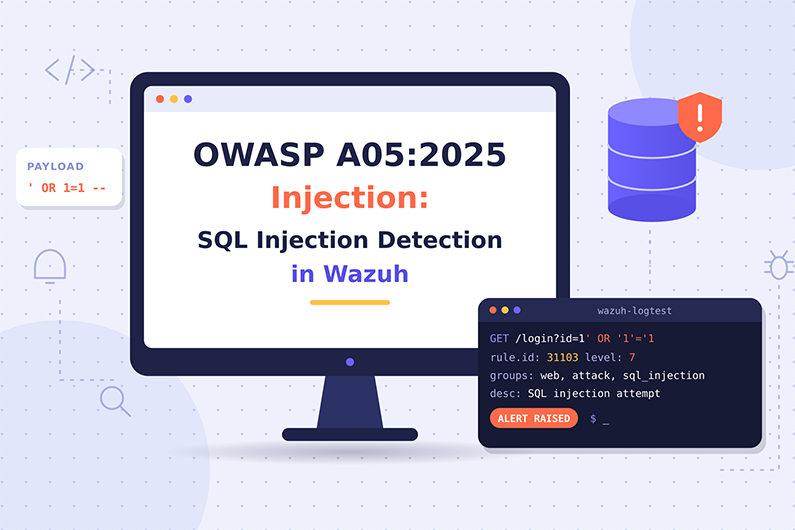
SQL Injection and Injection Attacks (OWASP A05:2025): Detecting SQLi and Command Execution with Wazuh
Injection is A05 in the OWASP Top 10:2025 and the category with the largest number of CVEs, which makes SQL injection detection a core SOC skill. It happens when untrusted input is sent to an interpreter, such as a SQL database, the operating system shell or a browser, and part of that input is executed as a command. SQL injection, OS command injection and Cross Site Scripting (XSS) all belong here.
For SQL injection detection, Wazuh offers some of its strongest built in coverage: rules that inspect access log URLs for SQL, XSS and command patterns, and rules that fire when one IP repeats them. The hard part is deciding whether an attack worked. This article explains how injection attacks work, which built in and custom Wazuh rules apply, why a 200 status is not proof of success, and how a SOC confirms data extraction in a hypothetical product catalog attack.
This guide is part of the series OWASP Top 10 for SOC Analysts: Web Attack Detection and Investigation with Wazuh. For HTTP basics, how to read access logs and how Wazuh decodes web logs, see the web attack fundamentals in that guide. The official OWASP description of this category is at OWASP A05:2025 Injection.
Table of Contents
- What Is Injection?
- How Injection Attacks Work
- SQL Injection, Command Injection and XSS Examples
- Injection Indicators and Evidence
- How to Detect SQL Injection and Other Injection Attacks with Wazuh
- Practical SOC Investigation Scenario: SQL Injection Against a Product Catalog
- Incident Response Process
- Prevention and Remediation
- Related OWASP Categories
- Frequently Asked Questions
- Conclusion
- Continue the OWASP Top 10 Series
- References and Further Reading
What Is Injection?
Definition: Injection happens when untrusted user input is sent to an interpreter (a database, the operating system shell, a browser, an LDAP server) and part of that input is executed as a command instead of being treated only as data.
Key terms:
- Interpreter is any component that reads text and executes it: SQL database, OS shell, browser (JavaScript), LDAP server, template engine.
- SQL injection (SQLi,
CWE-89) changes a database query. - OS command injection (
CWE-78) runs system commands on the server. - Cross Site Scripting (XSS,
CWE-79) injects script into a web page that runs in other users’ browsers. OWASP keeps XSS inside A05. - Parameterized query (prepared statement) sends the query structure and the data separately, so data cannot change the structure. This is the main defense.
- Payload is the attacker’s crafted input.
- Blind SQL injection is when the attacker cannot see query results and infers them from true or false differences or time delays.
- Prompt injection in large language model applications is a related class covered separately in the OWASP LLM Top 10.
What weakness it represents: User data is not validated, filtered or escaped, and dynamic queries or commands are built by concatenating strings. OWASP reports injection has the greatest number of CVEs of any category (37 CWEs), with more than 30,000 CVEs for XSS and more than 14,000 for SQL injection.
Why it happens:
- Developers build queries by string concatenation.
- Input validation is missing or only done in the browser.
- Frameworks are trusted blindly, for example concatenating input into an ORM or HQL query.
- User input is passed to shell commands for convenience.
Why attackers target it: It is well known, highly automated (tools test every parameter), and the impact can be total: full database dump or server control.
What can happen after successful exploitation: Data theft, data modification or deletion, authentication bypass, command execution on the server, and for XSS, session theft and actions performed as the victim.
Business assets affected: databases with customer and payment data, servers, user sessions and accounts.
How Injection Attacks Work
- What the attacker needs first: Any input that reaches an interpreter: URL parameters, form fields, JSON bodies, headers, cookies.
- What part is targeted: Search boxes, login forms, filters, report generators, APIs, “ping” or “lookup” tools, comment fields (XSS).
- What the attacker sends: Characters with special meaning for the interpreter: quotes
', comments--, keywordsUNION SELECT, shell separators;|&&, HTML tags<script>. - What the vulnerable application does: Inserts the input directly into the query or command string.
- How the attacker exploits it: First tests with a quote to cause an error, then crafts payloads to extract data, bypass login, or run commands. Usually automated.
- What happens on success: The database returns extra rows, the login is bypassed, a command runs, or the script runs in a victim’s browser.
- Evidence left behind: Attack keywords in URLs, bursts of
500errors (syntax errors), database error messages in application logs, unusually large responses, time delays, and for command injection, new processes started by the web server user.
SQL Injection, Command Injection and XSS Examples
Example 1: SQL injection in a product search
- Situation: An online electronics store has
/products?category=that builds the SQL query by concatenation. - Attacker objective: Extract the customer table.
- Attacker actions: Tests with a single quote, sees a
500error, then uses aUNION SELECTpayload. - Representative access log entries:
198.51.100.23 - - [07/Nov/2026:13:40:01 +0000] "GET /products?category=laptops' HTTP/1.1" 500 612 "-" "sqlmap/1.8"
198.51.100.23 - - [07/Nov/2026:13:40:05 +0000] "GET /products?category=laptops%27%20union%20select%20null,null,null--%20 HTTP/1.1" 500 640 "-" "sqlmap/1.8"
198.51.100.23 - - [07/Nov/2026:13:41:12 +0000] "GET /products?category=laptops%27%20union%20select%20email,password_hash,null%20from%20customers--%20 HTTP/1.1" 200 184220 "-" "sqlmap/1.8"
- Vulnerable behavior: The query becomes
SELECT name, price, stock FROM products WHERE category='laptops' UNION SELECT email, password_hash, null FROM customers -- '. - Attempt versus success: The
500lines are attempts (the query broke). The final200with 184 KB compared with a normal 15 KB category page strongly suggests data was returned. Confirmation comes from database audit logs or by reproducing safely in a test environment. - Impact: Customer emails and password hashes stolen.
Example 2: OS command injection in a network diagnostic page
- Situation: An internal IT portal has a “check host” feature that runs
nslookupwith the user’s input, as in the OWASP example. - Attacker objective: Run commands on the server.
- Example request:
GET /tools/lookup?domain=example.com;id HTTP/1.1
Host: itportal.corp.example
- Vulnerable behavior: The server runs
nslookup example.com;id, soidalso runs. - Attempt versus success: The URL alone is an attempt. Success is proven by process telemetry: the web server user (for example
www-data) started/usr/bin/idor a shell. The response size or content may also show command output. - Impact: Code execution on an internal server, possible lateral movement.
Example 3: Stored XSS in a support ticket
A customer writes a support ticket containing <script> that sends the reader’s session cookie to an external site. When a support agent opens the ticket, the script runs in the agent’s browser. Evidence: the payload in the stored ticket, and requests from the agent’s browser to an unknown domain. Impact: support agent session hijacked.
Injection Indicators and Evidence
- SQL keywords and quotes in parameters (
union select,' or '1'='1,sleep()- Where you see it: Access logs, WAF
- Strength: Suspicious attempt
- Scanner user agents such as
sqlmap- Where you see it: Access logs
- Strength: Suspicious, shows automated testing
- Bursts of
500errors from one IP on one endpoint- Where you see it: Access logs
- Strength: Suspicious, often shows syntax errors from probing
- Database error messages (
SQLSTATE,ORA-, “unclosed quotation mark”)- Where you see it: App and database error logs
- Strength: Strong evidence that input reached the query
200response with much larger size than normal after injection payloads- Where you see it: Access logs
- Strength: Strong indicator of data extraction
- Response times increasing after time based payloads
- Where you see it: App or proxy logs with response time
- Strength: Suspicious to strong (blind SQLi)
- Shell separators and commands in parameters (
;id,| whoami)- Where you see it: Access logs
- Strength: Suspicious attempt
- Web server user spawning
sh,bash,cmd.exe,powershell.exe- Where you see it: auditd, Sysmon
- Strength: Strong evidence of command execution
- Unusual database queries reading many rows from sensitive tables
- Where you see it: Database audit logs
- Strength: Strong
<script>oronerror=in parameters or stored content- Where you see it: Access logs, WAF, app logs
- Strength: Suspicious (XSS attempt)
How to Detect SQL Injection and Other Injection Attacks with Wazuh
Required Log Sources
- Web access logs
- Necessary or optional: Necessary
- Why: Built in injection rules analyze the URL
- Web server and application error logs
- Necessary or optional: Strongly recommended
- Why: Database errors show input reached the query
- WAF logs (for example ModSecurity)
- Necessary or optional: Recommended
- Why: Sees request bodies, which access logs do not
- Database audit logs
- Necessary or optional: Recommended
- Why: Proves which queries ran and how many rows
- auditd or Sysmon process events on web servers
- Necessary or optional: Necessary for command injection proof
- Why: Shows processes started by the web server
- Network logs from web and database servers
- Necessary or optional: Optional
- Why: Shows data leaving
What Wazuh Can and Cannot Detect
- Directly with built in rules (from
0245-web_rules.xml, all children of 31100):- 31103 (level 7) “SQL injection attempt.” matches URL patterns such as
union%20,select+,%20from%20,null,null,xp_cmdshell. - 31164, 31165, 31170, 31171 (level 6) “SQL injection attempt.” match other encodings and patterns such as
=%27,%2csleep,sysdate(). - 31105 (level 6) “XSS (Cross Site Scripting) attempt.” matches
%3Cscript,script>,SRC=javascript,%20ONLOAD=and others. - 31104 (level 6) “Common web attack.” matches path traversal and command patterns such as
../..,cmd.exe,wget%,echo;. - 31106 (level 6) “A web attack returned code 200 (success).” fires when 31103, 31104 or 31105 match and the status is
200. - 31152, 31153, 31154 (level 10) fire when the same source IP triggers many SQL injection (8 in 120 seconds), common web attack (10 in 120 seconds) or XSS (10 in 120 seconds) attempts.
- 31166 to 31169 detect Shellshock patterns.
- 31122 (level 5) and 31162 (level 10) cover
500errors, single and repeated from one IP.
- 31103 (level 7) “SQL injection attempt.” matches URL patterns such as
- Very important limitation of 31106: “returned code 200 (success)” means only that the HTTP status was 200. Many applications return
200for error pages or search results with no data. It is not proof of exploitation. Check response size and application or database logs. - Needs custom rules: OS command injection patterns beyond the built ins, database error messages in application logs, web server processes spawning shells.
- Needs WAF or app logs: Injection in
POSTbodies and JSON APIs, which never appear in access logs. - Cannot be reliably detected by Wazuh alone: heavily encoded or obfuscated payloads, injection in bodies without WAF logs, second order injection (stored first, executed later), and DOM based XSS that happens only in the browser.
The official Wazuh proof of concept guide “Detecting an SQL injection attack” uses exactly this approach: monitor Apache access logs and expect rule 31103, or 31106 if the response was 200. Source: Wazuh PoC: SQL injection
Wazuh Rules for Injection Detection
Built in rules: 31103, 31104, 31105, 31106, 31152, 31153, 31154 as listed above. Enable them simply by collecting access logs:
<!-- Agent ossec.conf -->
<localfile>
  <log_format>apache</log_format>
  <location>/var/log/apache2/access.log</location>
</localfile>
Custom rules (examples):
- 100501: OS command injection patterns in URL parameters.
- 100502: Database syntax errors in a JSON application error log.
- 100503: On Linux, the web server user started a shell or download tool (auditd).
- 100504: On Windows IIS, the worker process
w3wp.exestartedcmd.exeorpowershell.exe(Sysmon).
<group name="custom_owasp,owasp_a05,">

  <!-- Custom rule (example): OS command injection pattern in a parameter -->
  <rule id="100501" level="8">
    <if_sid>31100</if_sid>
    <url type="pcre2">(?i)=[^\x26]*(%3B|;|%7C|\||%60|`|%24%28|\$\()\s*(id|whoami|uname|cat|curl|wget|nc|bash|sh)(%20|\+|$|\x26)</url>
    <description>OWASP A05: Possible OS command injection in URL: $(url)</description>
    <mitre>
      <id>T1190</id>
      <id>T1059</id>
    </mitre>
  </rule>

  <!-- Custom rule (example): database syntax error in application log -->
  <rule id="100502" level="10">
    <decoded_as>json</decoded_as>
    <field name="log_type">^app_error$</field>
    <field name="error" type="pcre2">(?i)(SQLSTATE\[|syntax error.{0,40}SQL|ORA-\d{5}|unclosed quotation mark)</field>
    <description>OWASP A05: Database syntax error in application, possible SQL injection probing from $(client_ip)</description>
    <mitre>
      <id>T1190</id>
    </mitre>
  </rule>

  <!-- Custom rule (example): web server user started a shell or download tool (Linux auditd) -->
  <rule id="100503" level="12">
    <if_sid>80700</if_sid>
    <field name="audit.key">^web_exec$</field>
    <field name="audit.exe" type="pcre2">/(sh|bash|dash|curl|wget|nc(\.openbsd|\.traditional)?|python3?(\.\d+)?)$</field>
    <description>OWASP A05: Web server account executed $(audit.exe), possible command injection or web shell</description>
    <mitre>
      <id>T1059.004</id>
      <id>T1505.003</id>
    </mitre>
  </rule>

  <!-- Custom rule (example): IIS worker process started a shell (Windows Sysmon) -->
  <rule id="100504" level="12">
    <if_sid>61603</if_sid>
    <field name="win.eventdata.parentImage" type="pcre2">(?i)\\w3wp\.exe$</field>
    <field name="win.eventdata.image" type="pcre2">(?i)\\(cmd|powershell|pwsh)\.exe$</field>
    <description>OWASP A05: IIS worker process started $(win.eventdata.image)</description>
    <mitre>
      <id>T1505.003</id>
    </mitre>
  </rule>

</group>
Supporting audit rule for 100503 (example, Debian or Ubuntu where www-data has UID 33):
auditctl -a always,exit -F arch=b64 -S execve -F euid=33 -k web_exec
Why these levels: 100501 is an attempt (level 8, a little higher than built in attempts because command injection impact is severe). 100502 shows input reached the database (level 10). 100503 and 100504 show actual execution by the web server, which is a strong sign of compromise (level 12).
How to test:
- Paste into
wazuh-logtest:
198.51.100.23 - - [07/Nov/2026:13:40:05 +0000] "GET /products?category=laptops%27%20union%20select%20null,null,null--%20 HTTP/1.1" 500 640 "-" "sqlmap/1.8"
Expected: built in rule 31103, level 7, “SQL injection attempt.”
- Paste the same line with status
200. Expected: built in rule31106, level 6 (child of 31103). This shows that the alert level can go down even though the request “succeeded”, which is why you must read the evidence and not only the level. - Paste:
10.40.2.17 - - [07/Nov/2026:15:02:11 +0000] "GET /tools/lookup?domain=example.com;id HTTP/1.1" 200 980 "-" "curl/8.5.0"
Expected: custom rule 100501.
- Paste a JSON line for 100502:
{"log_type":"app_error","client_ip":"198.51.100.23","path":"/products","error":"SQLSTATE[42000]: Syntax error or access violation near ''' at line 1"}
- Test 100503 on a lab server by running a harmless command as the web user, for example
sudo -u www-data /bin/sh -c true.
Expected alert from a built in rule (representative, shortened):
{
  "timestamp": "2026-11-07T13:40:05.214+0000",
  "rule": {
    "level": 7,
    "description": "SQL injection attempt.",
    "id": "31103",
    "mitre": { "id": ["T1190"], "tactic": ["Initial Access"], "technique": ["Exploit Public-Facing Application"] },
    "groups": ["web", "accesslog", "attack", "sql_injection"]
  },
  "agent": { "id": "021", "name": "shop-web-01" },
  "decoder": { "name": "web-accesslog" },
  "data": { "protocol": "GET", "srcip": "198.51.100.23", "id": "500", "url": "/products?category=laptops%27%20union%20select%20null,null,null--%20" },
  "location": "/var/log/apache2/access.log"
}
Investigating the Alert in Wazuh
- Find the alert: Threat Hunting, filter
rule.groups:(sql_injection or sqlinjection)orrule.id:(31103 or 31106 or 31152). - Fields to inspect:
data.url(decode it),data.id,data.srcip,agent.name,full_log(bytes and user agent),rule.firedtimes. - Source IP: Reputation, geolocation, whether it is an approved scanner or penetration tester.
- Affected endpoint:
agent.name, the parameter being attacked. - User account: If the endpoint requires login, find the session in app logs. For command injection, the process user from auditd (
data.audit.euid) or Sysmon. - Timestamps: First probe, first
200, last request. Did the attack stop or continue? - Correlate: Same IP across all endpoints; database audit logs at the same minutes; process events on the web server; outbound connections.
- Success check: Compare response sizes with normal; look for database errors (attempt reached the query) versus large data responses (extraction); look for process creation (command execution).
- Impact: Which tables or commands? How many rows? Was data sent out?
- Document: Decoded payloads, timeline, success evidence, affected data, confidence.
Useful Wazuh Dashboard Queries
rule.groups:(sql_injection or sqlinjection)- What it finds: All SQL injection attempt alerts (rule 31103 uses the group
sql_injection; rules 31164, 31165, 31170 and 31171 usesqlinjection) - What to look for: Top IPs and targeted endpoints
- What it finds: All SQL injection attempt alerts (rule 31103 uses the group
rule.id:31106- What it finds: Attack patterns with status 200
- What to look for: Response sizes in
full_log
rule.id:(31152 or 31153 or 31154)- What it finds: Repeated attacks from one IP
- What to look for: Automated tools, campaign scope
data.srcip:"198.51.100.23" and data.id:200- What it finds: Successful responses for the attacker
- What to look for: Compare bytes per endpoint
rule.id:(31122 or 31162) and data.url:*products*- What it finds: Server errors on the target endpoint
- What to look for: Errors caused by payloads
rule.id:100503 or rule.id:100504- What it finds: Web server process spawning shells
- What to look for: Command line and parent process
full_log:*sqlmap*- What it finds: Requests with the sqlmap user agent
- What to look for: Note: attackers can change the user agent
Detection Limitations
POSTand JSON bodies are not in access logs. API injection is often invisible without WAF or app logs.- Encoding and obfuscation can bypass simple patterns.
- Built in patterns create false positives, for example a search for “select from list” or legitimate SQL in an admin reporting tool. Built in rule 31107 already ignores some search URLs for this reason.
200status does not equal success;500status does not equal failure.- Second order injection and DOM based XSS leave weak or no server logs.
- Improve visibility: Deploy a WAF and send its logs to Wazuh, log database errors in JSON, enable database auditing on sensitive tables, monitor web server process creation, and log response time.
Practical SOC Investigation Scenario: SQL Injection Against a Product Catalog
Organization and affected application. An electronics retailer runs its storefront on Apache with a MySQL database. Wazuh collects the access logs, the application error logs (JSON) and the database audit logs.
Initial suspicious activity. An external IP sends hundreds of automated requests with SQL syntax in the category parameter.
Initial detection. Built in rule 31152 (“Multiple SQL injection attempts from same source ip”, level 10) fires for 198.51.100.23 against shop-web-01.
Logs examined. The analyst reviews the access logs filtered by the source IP, the custom rule 100502 results (database syntax errors in the application log), the database audit log and the process events on the web server.
Suspicious indicators. About 900 requests arrive in six minutes with the user agent sqlmap, all targeting /products?category=. The early requests return 500. At 13:41:12, a request containing union select email,password_hash,null from customers returns 200 with 184,220 bytes, while normal category pages are about 15,000 bytes.
Event correlation. Custom rule 100502 shows SQLSTATE syntax errors at the same times as the 500 responses, which proves the input reached the SQL query. At 13:41:12 the database audit log records a query against the customers table that returns 2,140 rows, something no product page does. Custom rule 100503 (web server user spawning a shell) does not fire.
Assessment of successful exploitation. The analyst does not treat the 200 status as proof, because rule 31106 only means a web attack pattern received status 200. The oversized response together with the matching database audit record confirms successful SQL injection and data extraction. There is no evidence of command execution on the server.
Potential business impact. 2,140 customer email addresses and password hashes were exposed. How quickly the hashes can be cracked depends on the hashing algorithm, which is an A04 question.
Incident response actions. The SOC escalates the case as Critical and preserves the database logs. It recommends a WAF block and a virtual patch for the vulnerable parameter. Security and privacy teams force password resets for the affected customers and assess breach notification.
Recommended remediation. Developers rewrite the query with parameterized statements. After the fix, the original payloads are replayed safely in a test environment and return normal results, and no new 100502 errors appear in production. The root cause is A05 Injection (CWE-89).
Incident Response Process
- Initial triage
- Category specific action: Is it a scanner, a pen test, or targeted? Is it ongoing? Any 200s or execution?
- Who: SOC L1
- Evidence collection
- Category specific action: Decoded payloads, access, WAF, app error and database logs, process events
- Who: SOC L1 or L2
- Event correlation
- Category specific action: Probes, then errors, then large responses, then DB queries, then processes or outbound traffic
- Who: SOC L2
- Severity assessment
- Category specific action: Blocked attempts (Low), errors reaching DB (Medium), data extracted (High or Critical), command execution (Critical)
- Who: SOC L2
- Impact assessment
- Category specific action: Tables, rows, commands, lateral movement
- Who: SOC with DBA and app owner
- Escalation
- Category specific action: Incident lead, app owner, DBA, privacy team
- Who: SOC
- Containment recommendation
- Category specific action: WAF block or virtual patch, disable feature, isolate server if commands ran, rotate DB credentials
- Who: SOC recommends; owners execute
- Coordination
- Category specific action: Parameterized queries, input validation, output encoding for XSS
- Who: Developers
- Remediation verification
- Category specific action: Safe retest, no new DB errors, WAF logs show blocks
- Who: SOC with AppSec
- Documentation and closure
- Category specific action: Payloads, timeline, data affected, root cause, rule tuning
- Who: SOC and incident lead
Prevention and Remediation
- Use parameterized queries or safe APIs; this is OWASP’s preferred defense.
- Use positive server side input validation (allow lists) as an extra layer.
- Escape special characters for the specific interpreter when dynamic queries cannot be avoided.
- Never pass user input to a shell; use library functions instead.
- For XSS, encode output for the context (HTML, attribute, JavaScript) and use a Content Security Policy.
- Run database accounts with least privilege so injection cannot read every table.
- Add SAST, DAST and IAST testing to CI/CD.
- Use a WAF for virtual patching and visibility.
Related OWASP Categories
- A06:2025 Insecure Design: Injection requests contain interpreter syntax; design abuse uses completely valid requests. See the side by side comparison.
- A10:2025 Mishandling of Exceptional Conditions: Verbose database errors that help attackers build injection payloads are an error handling problem covered in A10.
- A04:2025 Cryptographic Failures: How quickly stolen password hashes can be cracked depends on the hashing choice, which is a cryptographic question.
Frequently Asked Questions
What does Wazuh rule 31106 mean?
Rule 31106, “A web attack returned code 200 (success).”, fires when one of the web attack rules 31103, 31104 or 31105 matches and the HTTP status code is 200. It does not prove the attack succeeded, because many applications return 200 for error pages or empty results. Analysts confirm success with response sizes, application logs, database audit logs or process telemetry.
Is Cross Site Scripting part of injection in OWASP 2025?
Yes. OWASP keeps Cross Site Scripting (CWE-79) inside A05 Injection, because the attacker’s input is executed as script in another user’s browser.
Why might a SQL injection attack produce no Wazuh alert?
The payload may be in a POST or JSON body that does not appear in access logs, it may be encoded in a way the built in patterns do not match, or the relevant logs may not be collected. WAF logs and application error logs close most of these gaps.
How do you detect command injection success?
With process telemetry. If the web server account, such as www-data on Linux or the IIS worker process w3wp.exe on Windows, starts shells or tools like id, curl or wget, the command most likely ran. auditd and Sysmon provide this evidence.
What is the best defense against SQL injection?
Parameterized queries (prepared statements), which send the query structure and the data separately so data cannot change the query. Input validation, least privilege database accounts and a WAF are additional layers.
Conclusion
Injection is the OWASP category where Wazuh’s built in rules help most, and SQL injection detection is a good example. Rules 31103, 31104 and 31105 flag attack patterns in access log URLs, and rules 31152 to 31154 show repeated attacks from one IP. The essential analyst skill is separating attempts from success: a 500 error or a 200 status proves little on its own, while oversized responses, database audit records and web server processes spawning shells provide real evidence.
The permanent fix is in the code: parameterized queries, safe APIs instead of shell commands, and output encoding for XSS. Until it is deployed, WAF virtual patches and blocks reduce the risk.
Continue the OWASP Top 10 Series
- Series overview: OWASP Top 10 for SOC Analysts: Web Attack Detection and Investigation with Wazuh
- Previous category: Cryptographic Failures (OWASP A04:2025): Detection and Investigation with Wazuh
- Next category: Insecure Design (OWASP A06:2025): Detecting Business Logic Abuse with Wazuh
References and Further Reading
- OWASP A05:2025 Injection
- CWE-89 SQL Injection
- CWE-78 OS Command Injection
- CWE-79 Cross Site Scripting
- MITRE ATT&CK T1190 Exploit Public Facing Application
- MITRE ATT&CK T1059 Command and Scripting Interpreter
- MITRE ATT&CK T1505.003 Web Shell
- Wazuh proof of concept: Detecting an SQL injection attack
- Wazuh documentation: Rules syntax
- Wazuh documentation: Custom rules
- Wazuh documentation: Testing decoders and rules
- Wazuh built in web rules: 0245-web_rules.xml
- Wazuh web access log decoders: 0375-web-accesslog_decoders.xml
- OpenSearch Dashboards Query Language (DQL)



Subscribe To Our Newsletter
Join our mailing list to receive the latest news and updates from our team.
You have Successfully Subscribed!