
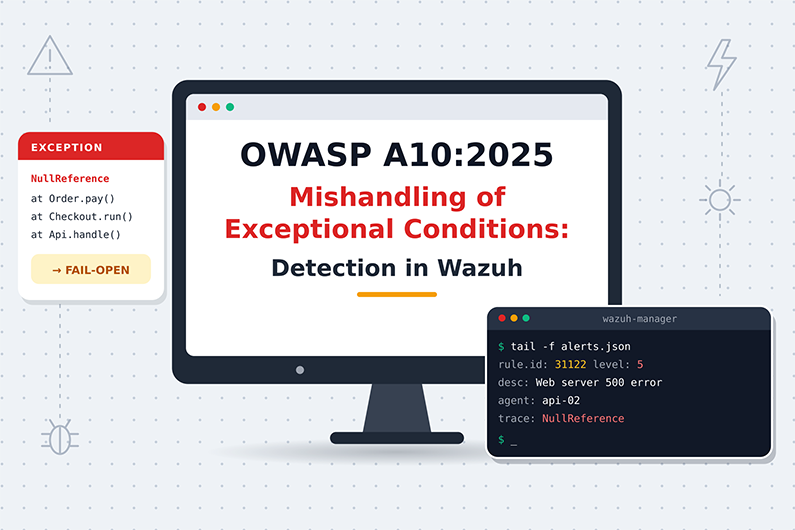
Mishandling of Exceptional Conditions (OWASP A10:2025): Detecting Fail-Open Bugs & Unsafe Error Handling with Wazuh
Mishandling of exceptional conditions is the newest category in the OWASP Top 10:2025, at position A10. It covers applications that do not prevent, detect or safely respond to unusual situations such as errors, missing parameters, timeouts and resource exhaustion. The results include leaked error details, transactions left half finished and, most dangerous of all, security checks that fail open and allow access when they error out.
Errors are easy for attackers to trigger and easy for defenders to dismiss as noise. This article explains how attackers abuse error handling, which signals separate abuse from ordinary bugs, how to detect unsafe outcomes with built in Wazuh error rules and custom rules on application logs, and how a SOC investigates a hypothetical authorization service that failed open under load.
This guide is part of the series OWASP Top 10 for SOC Analysts: Web Attack Detection and Investigation with Wazuh. For HTTP basics, how to read access logs and how Wazuh decodes web logs, see the web attack fundamentals in that guide. The official OWASP description of this category is at OWASP A10:2025 Mishandling of Exceptional Conditions.
Table of Contents
- What Is Mishandling of Exceptional Conditions?
- How Attackers Abuse Error Handling
- Exceptional Condition Attack Examples
- Exception Handling Indicators and Evidence
- How to Detect Unsafe Error Handling with Wazuh
- Practical SOC Investigation Scenario: Authorization Service Timeout Fails Open
- Incident Response Process
- Prevention and Remediation
- Related OWASP Categories
- Frequently Asked Questions
- Conclusion
- Continue the OWASP Top 10 Series
- References and Further Reading
What Is Mishandling of Exceptional Conditions?
Definition: Mishandling of Exceptional Conditions means the application does not prevent, detect, or respond safely to unusual situations such as errors, missing parameters, timeouts or resource exhaustion, so it crashes, leaks information, ends up in an inconsistent state, or fails open (allows access when a check fails).
Key terms:
- Exception: An abnormal event during program execution, such as a null value, a timeout or a database error.
- Exceptional condition: Any unusual situation: missing input, unexpected type, low memory, lost network, insufficient privileges.
- Fail open (
CWE-636): When a security check fails because of an error, the system allows the action. The safe behavior is fail closed (fail secure): deny when unsure. - Error message with sensitive information (
CWE-209): Errors that reveal internal paths, queries, versions or data. - Missing parameter handling (
CWE-234) and NULL pointer dereference (CWE-476) are other notable CWEs. - Rollback: Undoing all steps of a transaction when one step fails, so the system returns to a consistent state.
- Race condition: Two operations happen at nearly the same time and the result depends on timing, which attackers can exploit.
- Resource exhaustion: Using up memory, connections, file handles or threads until the service fails.
What weakness it represents: OWASP describes three failings: the application does not prevent the unusual situation, does not identify it as it happens, and/or responds poorly afterwards. This is a new category in 2025 with 24 CWEs, some previously grouped under “poor code quality”.
Why it happens:
- Input validation is missing or incomplete.
- Errors are caught too late, at a high generic level, instead of where they occur.
- Exception handling is inconsistent across the code.
- Developers only test the happy path.
- Security checks call other services (authorization, fraud, payment) and do not define what happens if those services fail.
Why attackers target it: Errors are easy to trigger with odd input. Errors often leak useful information. Fail open behavior can bypass security without any credential. Interrupting transactions can create money or duplicate actions.
What can happen after successful exploitation: Denial of service, information disclosure, authorization bypass, fraudulent transactions, data corruption.
Business assets affected: service availability, financial transactions, account balances, confidential system details, access controlled data.
How Attackers Abuse Error Handling
- What the attacker needs first: Usually only the ability to send requests, sometimes a normal account. Some attacks need the ability to cause timing issues (many parallel requests).
- What is targeted: Input parsing, file uploads, multi step transactions, calls to dependent services, error pages.
- What the attacker sends or changes:
- Missing, empty, huge or wrongly typed parameters.
- Requests that cause downstream timeouts.
- Many parallel requests to hit a race window.
- Interrupted connections in the middle of a transaction.
- What the vulnerable application does: Throws an exception and either shows the details, skips the security check, leaves a partial transaction, or keeps resources locked.
- How the attacker exploits it: Uses the leaked details for other attacks, uses the bypass, repeats the interruption to gain value, or repeats the error to exhaust resources.
- What happens on success: Information leak, bypass, money or data inconsistency, or service outage.
- Evidence left behind: Bursts of
500or503responses, stack traces or exception logs, timeouts, “allowed due to error” decisions, transactions without matching steps, memory or connection exhaustion warnings, crashes and restarts.
Exceptional Condition Attack Examples
Example 1: Authorization check fails open during a timeout
- Situation: A healthcare scheduling app calls an internal authorization service before showing patient records. The code catches any exception from that call and continues, so on timeout it shows the record.
- Attacker objective: View patient records they are not allowed to see.
- Attacker actions: Sends many slow, heavy requests to overload the authorization service, while requesting other patients’ records.
- Representative application log (JSON):
{"log_type":"app","event":"authz_check_error","username":"u-5521","resource":"/patients/88213/record","error":"TimeoutException after 2000ms","decision":"allow","client_ip":"203.0.113.33"}
- Vulnerable behavior: The design should deny on error (fail closed). The code allows instead (
CWE-636). - Attempt versus success: Timeouts with
decision: denyare safe failures. Adecision: allowafter an error is a successful bypass, confirmed by the response returning record data. - Impact: Unauthorized access to health data. The result looks like A01 (access control bypass), but the root cause is unsafe error handling (A10).
Example 2: Interrupted money transfer without rollback (from the OWASP scenario)
- Situation: A digital wallet processes transfers in three steps: debit sender, credit receiver, record transaction.
- Attacker objective: Get money credited more than once.
- Attacker actions: Sends many parallel transfer requests and drops connections at precise moments.
- Representative application log entries:
{"log_type":"app","event":"transfer_step","transfer_id":"T-77120","step":"credit_receiver","step_status":"ok"}
{"log_type":"app","event":"transfer_step_failed","transfer_id":"T-77120","step":"record_transaction","error":"ConnectionResetException","rollback":"false"}
{"log_type":"app","event":"transfer_step","transfer_id":"T-77121","step":"credit_receiver","step_status":"ok"}
- Vulnerable behavior: When a later step fails, the earlier steps are not rolled back, and race conditions allow duplicate credits.
- Attempt versus success: Failed steps with
rollback: trueare handled safely. Failed steps withrollback: falseand balance differences in reconciliation reports show successful exploitation. - Impact: Financial loss and inconsistent ledgers.
Example 3: Database errors leak details (from the OWASP scenario)
An attacker sends unusual characters to many parameters. The app shows full database error messages including table names and query fragments. The attacker uses them to build a precise SQL injection. The error disclosure is A10 (and A02 if production is configured to show details); the later injection is A05.
Exception Handling Indicators and Evidence
- Bursts of
500errors from one IP across many parameters- Where you see it: Access logs, built in rules 31122 and 31162
- Strength: Suspicious (fuzzing)
- Stack traces or exception names in responses or logs
- Where you see it: App logs, error logs
- Strength: Strong evidence of unsafe error handling
- “allow” decisions recorded together with errors
- Where you see it: App logs
- Strength: Strong evidence of fail open
- Transaction steps without matching completion or rollback
- Where you see it: App logs, reconciliation reports
- Strength: Strong
- Many parallel identical requests within milliseconds
- Where you see it: Access logs, app logs
- Strength: Suspicious (race attempt)
503responses, worker exhaustion, memory errors- Where you see it: Access logs, web server error logs
- Strength: Suspicious (resource exhaustion)
- Process crashes, segmentation faults, restarts
- Where you see it: System logs, built in Apache rule 30104
- Strength: Strong evidence of a crash
- Requests with missing or malformed parameters immediately before errors
- Where you see it: Access and app logs
- Strength: Suspicious
How to Detect Unsafe Error Handling with Wazuh
Required Log Sources
- Web access logs
- Necessary or optional: Necessary
- Why: Status code patterns (
500,503)
- Web server error logs
- Necessary or optional: Necessary
- Why: Crashes, worker exhaustion, PHP fatal errors
- Application logs with exception type, endpoint, decision and transaction state (JSON)
- Necessary or optional: Strongly recommended
- Why: The only way to see fail open and missing rollback
- System logs (service restarts, out of memory killer)
- Necessary or optional: Recommended
- Why: Shows crashes and resource exhaustion
- Business reconciliation reports
- Necessary or optional: Optional, external
- Why: Confirms financial inconsistency
- APM (Application Performance Monitoring) data
- Necessary or optional: Optional, external
- Why: Timeouts and dependency failures
What Wazuh Can and Cannot Detect
- Directly with built in rules:
- 31120 “Web server 500 error code (server error).” (level 5), 31122 “Web server 500 error code (Internal Error).” (level 5), 31162 “Multiple web server 500 error code (Internal Error).” (level 10, 14 events in 120 seconds from the same source IP).
- 31123 “Web server 503 error code (Service unavailable).” (level 4) and 31163 “Multiple web server 503 error code (Service unavailable).” (level 10).
- 30104 “Apache: Segmentation fault.” (level 12), 30120 “Apache: without resources to run.” (level 12), 31303 “Nginx critical message.” (level 5).
- PHP rules such as 31420 “PHP Fatal error.” (level 5) and 31412 “PHP internal error (missing file).” (level 5).
- Needs custom rules: Fail open decisions, transactions without rollback, repeated unhandled exceptions per client.
- Needs application logs: Yes. Access logs show that an error happened, not how the application handled it.
- Needs external tools: APM for dependency timeouts, reconciliation for financial impact.
- Cannot be reliably detected by Wazuh alone: A fail open bug that is never logged; an exception that is silently swallowed (which is also an A09 problem); race conditions without transaction logs.
- Suspicious versus proof: Many
500errors prove errors happened, possibly from fuzzing. Proof of mishandling needs evidence of the unsafe outcome: leaked details, an allow decision, a missing rollback.
Wazuh Rules for Exception Handling Failures
All rules below are custom rules (examples) for JSON application logs.
Rule logic:
- 101001: A security check raised an error but the decision was “allow” (fail open).
- 101002: A transaction step failed and no rollback happened.
- 101003 and 101004: Ten unhandled exceptions caused by the same client IP within two minutes.
<group name="custom_owasp,owasp_a10,">

  <!-- Custom rule (example): security check failed open -->
  <rule id="101001" level="12">
    <decoded_as>json</decoded_as>
    <field name="event">^authz_check_error$</field>
    <field name="decision">^allow$</field>
    <description>OWASP A10: Authorization check error for $(resource) but access was allowed (fail open)</description>
  </rule>

  <!-- Custom rule (example): transaction step failed without rollback -->
  <rule id="101002" level="12">
    <decoded_as>json</decoded_as>
    <field name="event">^transfer_step_failed$</field>
    <field name="rollback">^false$</field>
    <description>OWASP A10: Transfer $(transfer_id) failed at step $(step) without rollback</description>
  </rule>

  <!-- Custom rule (example): counter for unhandled exceptions -->
  <rule id="101003" level="3">
    <decoded_as>json</decoded_as>
    <field name="event">^unhandled_exception$</field>
    <description>OWASP A10: Unhandled exception $(exception) at $(path)</description>
  </rule>

  <!-- Custom rule (example): one client triggering many unhandled exceptions -->
  <rule id="101004" level="10" frequency="10" timeframe="120">
    <if_matched_sid>101003</if_matched_sid>
    <same_field>client_ip</same_field>
    <description>OWASP A10: 10 unhandled exceptions triggered by $(client_ip) in 2 minutes, possible fuzzing of error handling</description>
  </rule>

</group>
Why these levels: Fail open (101001) and missing rollback (101002) are direct security or financial failures, level 12. A single unhandled exception (101003) is a low relevance event at level 3, kept visible for trend analysis. Repeated exceptions from one client (101004) suggest deliberate probing, level 10.
How to test:
- Paste the
authz_check_errorline from Example 1 intowazuh-logtest. Expected:101001. - Change
"decision":"allow"to"decision":"deny". Expected: no alert (that is safe failure). - Paste the
transfer_step_failedline from Example 2. Expected:101002. - Paste ten lines like the one below with the same
client_ip. Expected:101004on the tenth.
{"log_type":"app","event":"unhandled_exception","exception":"NullPointerException","path":"/api/v1/claims","client_ip":"198.51.100.61"}
- Paste 14 access log lines with status
500from the same IP to see built in rule 31162.
Expected alert (representative, shortened):
{
  "rule": { "level": 12, "id": "101001", "description": "OWASP A10: Authorization check error for /patients/88213/record but access was allowed (fail open)" },
  "agent": { "name": "sched-app-01" },
  "decoder": { "name": "json" },
  "data": { "event": "authz_check_error", "username": "u-5521", "resource": "/patients/88213/record", "error": "TimeoutException after 2000ms", "decision": "allow", "client_ip": "203.0.113.33" }
}
Investigating the Alert in Wazuh
- Find the alert: Threat Hunting, filter
rule.groups:owasp_a10orrule.id:(31162 or 31163). - Fields to inspect:
data.event,data.error,data.exception,data.decision,data.transfer_id,data.step,data.rollback,data.client_ip,data.username,data.resource. - Source IP:
data.client_ipordata.srcip; check whether it also sent unusual inputs. - Affected application:
agent.name,location, the endpoint indata.pathordata.url. - User account:
data.username; check whether that user should have access to the resource. - Timestamps: Error times compared with dependency outages, deployments or load spikes.
- Correlate: Dependency service errors at the same time, 500 bursts in access logs, preceding requests with malformed parameters.
- Success check: Did the response contain protected data? Did balances change incorrectly? Did details leak in responses?
- Impact: Records exposed, money involved, downtime duration.
- Document: Error type, handling outcome (allow, partial state, crash), evidence, and the expected safe behavior.
Useful Wazuh Dashboard Queries
rule.id:(31122 or 31162)- What it finds: Server errors and bursts
- What to look for: Same IP, same endpoint, unusual parameters
rule.id:(31123 or 31163)- What it finds: Service unavailable bursts
- What to look for: Resource exhaustion or dependency failure
rule.id:101001- What it finds: Fail open decisions
- What to look for: Users and resources accessed
data.decision:allow and data.error:*- What it finds: Allow decisions recorded with an error value
- What to look for: Broader fail open hunting
rule.id:101002- What it finds: Transactions without rollback
- What to look for: Amounts and accounts for reconciliation
rule.id:(30104 or 30120)- What it finds: Apache crashes and resource problems
- What to look for: Requests just before the crash
data.exception:*- What it finds: All logged exceptions
- What to look for: Most common types and endpoints
Detection Limitations
- Swallowed exceptions leave no trace.
500errors are common during deployments and outages; context is needed.- Fail open is only visible if the app logs the decision with the error.
- Race conditions need precise timestamps and transaction IDs.
- False positives: buggy releases, dependency outages, monitoring probes.
- Improve visibility: Ask developers to log exceptions in JSON with type, endpoint, user, decision and transaction state; log security check outcomes on error; use APM; and alert on fail open patterns.
Practical SOC Investigation Scenario: Authorization Service Timeout Fails Open
Organization and affected application. A healthcare provider’s appointment application checks every patient record request with an internal authorization service. The application writes JSON logs that Wazuh collects.
Initial suspicious activity. The authorization service starts timing out under heavy load, and at the same time the application keeps returning patient records.
Initial detection. Built in rule 31163 (“Multiple web server 503 error code (Service unavailable).”) fires for the authorization service gateway. Ten minutes later, custom rule 101001 fires: an authorization check error occurred, but access was allowed.
Logs examined. The analyst reviews the application JSON logs filtered by rule.id:101001, the access logs for the same IP, and the patient assignment data from the application team.
Suspicious indicators. There are 214 allow decisions recorded together with errors in 15 minutes, all from user u-5521 at 203.0.113.33. The same IP sends heavy search requests that slow down the authorization service while also requesting /patients/{id}/record for many different IDs.
Event correlation. The application team confirms that the requested patients are not assigned to u-5521. The record requests returned 200 with normal record sizes. The developers confirm that the code catches the timeout exception and continues instead of denying.
Assessment of successful exploitation. The allow decisions logged with errors, the 200 responses and the assignment data together confirm unauthorized access to 214 patient records. The access control existed and worked under normal conditions; the application bypassed it by failing open when the check raised an exception.
Potential business impact. 214 patient records were exposed to an unauthorized user, a health data breach that is likely reportable.
Incident response actions. The SOC escalates the case as Critical. It recommends disabling u-5521, blocking the IP and applying an emergency configuration that denies requests whenever the authorization service fails. The platform team scales and rate limits the authorization service, and privacy and legal teams assess breach notification.
Recommended remediation. Developers change the handler to deny on any exception and add a circuit breaker. A simulated authorization timeout in staging now produces a logged decision: deny. The impact looks like A01, but the root cause is A10 Mishandling of Exceptional Conditions (CWE-636, failing open).
Incident Response Process
- Initial triage
- Category specific action: Error noise (deployment, outage) or abuse? Was there an unsafe outcome?
- Who: SOC L1
- Evidence collection
- Category specific action: Access and error logs, app exception logs, dependency status, transaction records
- Who: SOC L1 or L2
- Event correlation
- Category specific action: Malformed inputs, then errors, then unsafe outcome; dependency failures; user and IP
- Who: SOC L2
- Severity assessment
- Category specific action: Errors only (Low), information leak (Medium), fail open or financial inconsistency (High or Critical)
- Who: SOC L2
- Impact assessment
- Category specific action: Data exposed, money affected, downtime
- Who: SOC with app owner, finance
- Escalation
- Category specific action: Incident lead, app owner, finance or privacy as needed
- Who: SOC
- Containment recommendation
- Category specific action: Block abusing IPs and accounts, enable fail closed settings, pause risky features, rate limit
- Who: SOC recommends; developers and platform execute
- Coordination
- Category specific action: Fix exception handling, add rollback and idempotency, add circuit breakers
- Who: Developers
- Remediation verification
- Category specific action: Simulate the failure in staging; confirm deny and rollback; no new A10 alerts
- Who: SOC with QA and AppSec
- Documentation and closure
- Category specific action: Failure mode, outcome, root cause, new logging
- Who: SOC and incident lead
Prevention and Remediation
- Validate input fully and early, including missing and unexpected values.
- Catch exceptions where they occur and handle them deliberately.
- Fail closed: deny access or stop the action when a security check cannot complete.
- Use transactions with full rollback; make operations idempotent (safe to repeat).
- Release resources in all code paths (for example
finallyblocks). - Show generic error messages to users and log details internally.
- Apply rate limits and resource quotas.
- Add a global exception handler as a safety net, and log every exception with context.
- Test failure paths, not only the happy path.
Related OWASP Categories
- A01:2025 Broken Access Control: A fail open authorization check produces the same impact as broken access control, so investigations often touch both categories.
- Mishandling of Exceptional Conditions (A10) versus ordinary application errors: The difference is whether the error was triggered deliberately and whether it led to an unsafe outcome.
- A02:2025 Security Misconfiguration: Showing detailed error pages in production is a configuration decision covered in A02.
Frequently Asked Questions
What does fail open mean?
Fail open means that when a security check cannot complete because of an error, the system allows the action anyway. The safe behavior is fail closed (also called fail secure): deny when the check cannot be completed. Not failing securely is CWE-636.
Is every 500 error a security problem?
No. Many 500 errors come from deployments, outages or bugs. They become a security concern when one source triggers them deliberately with unusual inputs, or when the error leads to an unsafe outcome such as leaked details, allowed access, inconsistent data or an outage.
Which Wazuh rules show error bursts?
Built in rule 31122 detects single 500 errors and rule 31162 detects multiple 500 errors from the same source IP. Rules 31123 and 31163 do the same for 503 errors, and rule 30104 detects Apache segmentation faults.
How is A10 related to A01 and A09?
When an access check fails open, the impact looks like Broken Access Control (A01), but the root cause is error handling (A10). When an exception is silently swallowed, nothing is logged, which also creates a logging failure (A09).
What logs do developers need to provide for A10 detection?
JSON logs for every exception with the exception type, endpoint, user, client IP, security decision and transaction state, plus the rollback result and dependency timeouts. Without them, the SOC only sees status codes.
Conclusion
Mishandling of exceptional conditions turns ordinary errors into security incidents. Wazuh’s built in rules show the noise: bursts of 500 and 503 errors and server crashes. The security relevant part, an “allow” decision after a failed check or a transaction without rollback, only becomes visible when applications log how they handled each error.
For SOC teams, the key question is always whether an error produced an unsafe outcome. When it did, the fix belongs to developers: fail closed, roll back, release resources and log every exception with context, verified by simulating the failure in a test environment.
Continue the OWASP Top 10 Series
- Series overview: OWASP Top 10 for SOC Analysts: Web Attack Detection and Investigation with Wazuh
- Previous category: Security Logging and Alerting Failures (OWASP A09:2025): Detecting Log Tampering and Visibility Gaps with Wazuh
References and Further Reading
- OWASP A10:2025 Mishandling of Exceptional Conditions
- CWE-209 Error Message Containing Sensitive Information
- CWE-234 Failure to Handle Missing Parameter
- CWE-476 NULL Pointer Dereference
- CWE-636 Not Failing Securely
- Wazuh documentation: Rules syntax
- Wazuh documentation: Custom rules
- Wazuh documentation: Testing decoders and rules
- Wazuh built in web rules: 0245-web_rules.xml
- OpenSearch Dashboards Query Language (DQL)



Subscribe To Our Newsletter
Join our mailing list to receive the latest news and updates from our team.
You have Successfully Subscribed!