
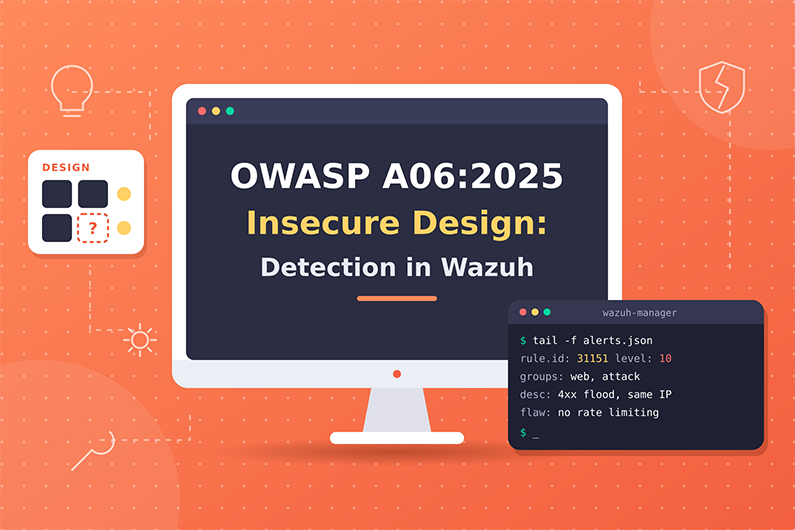
Insecure Design (OWASP A06:2025): Detecting Business Logic Abuse with Wazuh
Insecure design is A06 in the OWASP Top 10:2025. It means a security control that the business needed was never designed into the application. The application works exactly as built, but the way it was built allows abuse: one account can reserve an entire cinema, a coupon can be used by unlimited new accounts, or password recovery relies on security questions that other people can answer.
Because every request is valid, signature based detection does not help. Detection depends on application business logs and on rules built with the business owner, who knows what normal use looks like. This article explains how business logic abuse works, how to detect it with Wazuh correlation rules on JSON business events, and how a SOC investigates a hypothetical security question abuse case.
This guide is part of the series OWASP Top 10 for SOC Analysts: Web Attack Detection and Investigation with Wazuh. For HTTP basics, how to read access logs and how Wazuh decodes web logs, see the web attack fundamentals in that guide. The official OWASP description of this category is at OWASP A06:2025 Insecure Design.
Table of Contents
- What Is Insecure Design?
- How Business Logic Abuse Works
- Insecure Design Attack Examples
- Insecure Design Indicators and Evidence
- How to Detect Business Logic Abuse with Wazuh
- Practical SOC Investigation Scenario: Security Question Abuse on a Customer Portal
- Incident Response Process
- Prevention and Remediation
- Related OWASP Categories
- Frequently Asked Questions
- Conclusion
- Continue the OWASP Top 10 Series
- References and Further Reading
What Is Insecure Design?
Definition: Insecure Design means a needed security control was never designed into the application, so even perfect code cannot stop the abuse. It includes flaws in business logic, such as no limit on how many items one customer can reserve, or a password recovery process that relies on security questions.
Key terms:
- Design flaw versus implementation defect: OWASP stresses this difference. A design flaw means the control was never planned. An implementation defect means the control was planned but coded wrongly (for example injection).
- Business logic is the rules of the business process: discounts, limits, approvals, order of steps.
- Business logic abuse means using legitimate features in an unintended way, with normal looking requests.
- Threat modeling is the practice of analyzing a design to find how it could be abused before building it.
- Trust boundary is a line between more trusted and less trusted parts of a system.
CWE-501(trust boundary violation) is a notable A06 CWE. - Unrestricted file upload (
CWE-434) is also mapped to A06 when the design allows dangerous file types. - Rate limiting and anti automation controls limit how fast or how often an action can be done.
What weakness it represents: “Missing or ineffective control design” (OWASP). The application lacks business risk profiling, so nobody decided what level of security was required.
Why it happens:
- Requirements do not include security and abuse cases.
- No threat modeling during design.
- Features are designed only for the happy path (normal use), not failure or abuse paths.
- Business limits are assumed but never enforced.
- Insecure patterns are reused, such as knowledge based recovery questions.
Why attackers target it: Requests look completely normal, so security tools often do not alert. Business logic abuse can directly produce money, inventory or accounts.
What can happen after successful exploitation: Financial loss (discount abuse, free goods), inventory hoarding, fraud, account takeover through weak recovery, service disruption, and reputational damage.
Business assets affected: revenue, inventory, promotions, customer accounts, brand reputation.
How Business Logic Abuse Works
- What the attacker needs first: Usually a normal account and time to study how a feature works. Sometimes many accounts or bots.
- What is targeted: Booking, checkout, coupons, refunds, loyalty points, account recovery, file upload, multi step workflows.
- What the attacker sends or changes: Valid requests used in an invalid way: huge quantities, repeated coupon use, skipping a step, many requests in parallel, or answering easily researched security questions.
- What the vulnerable application does: Exactly what it was designed to do, because no rule stops it.
- How the attacker exploits it: Automates the abuse or scales it with many accounts.
- What happens on success: Loss of money or goods, account takeover, unfair access to limited items.
- Evidence left behind: Usually no attack signatures. Evidence is behavioral: unusual quantities, unusual frequency, many accounts sharing one IP or device, actions in an unusual order. It mostly appears in application and business logs, not web server logs.
Insecure Design Attack Examples
Example 1: Group booking without limits (from the OWASP scenario)
- Situation: A cinema chain gives group discounts and requires a deposit above fifteen attendees. The booking API does not enforce a maximum per request or per account.
- Attacker objective: Block all seats for a premiere so real customers cannot book, or resell seats.
- Attacker actions: Sends a few booking requests for hundreds of seats.
- Example request:
POST /api/bookings HTTP/1.1
Content-Type: application/json

{"show_id": "PREM-2026-11-20", "seats": 600, "group_discount": true}
- Representative application log (JSON):
{"log_type":"business","event":"booking_created","account_id":"A-77812","client_ip":"203.0.113.90","show_id":"PREM-2026-11-20","seats":"600","deposit_paid":"false"}
- Vulnerable behavior: The application accepts the booking because no rule caps seats or requires the deposit at booking time.
- Attempt versus success: Here the request itself is the abuse. If the API had rejected it (
422with “limit exceeded”), it would be an attempt. A201 Createdand the business log entry show success. - Impact: Lost ticket revenue and angry customers.
Example 2: Account recovery with security questions (from the OWASP scenario)
- Situation: A utility company’s customer portal lets users reset passwords by answering “What city were you born in?” and “What is your pet’s name?”
- Attacker objective: Take over customer accounts.
- Attacker actions: Finds answers on social media or tries common answers across many usernames.
- Representative application log entries:
{"log_type":"business","event":"kba_reset_attempt","username":"j.alvarez","client_ip":"198.51.100.44","result":"fail"}
{"log_type":"business","event":"kba_reset_attempt","username":"m.chen","client_ip":"198.51.100.44","result":"fail"}
{"log_type":"business","event":"kba_reset_attempt","username":"r.okafor","client_ip":"198.51.100.44","result":"success"}
- Vulnerable behavior: The design treats knowledge that other people can know as proof of identity. OWASP,
NIST SP 800-63Band the OWASP ASVS all prohibit this approach. - Attempt versus success: Failed attempts are attempts. A
successfollowed by a password change and login is successful exploitation. - Impact: Account takeover. Root cause is the design of recovery (A06). If the code had a bug in checking answers, that would be an implementation problem; if login had no brute force protection, A07 also applies.
Example 3: Scalper bots (from the OWASP scenario)
A retailer’s checkout has no anti bot design. Bots buy all high end graphics cards within seconds of release. Every request is valid, so injection or access control rules never fire. Evidence: purchases within seconds of availability, many accounts sharing payment cards or shipping addresses, and one IP range placing hundreds of orders.
Insecure Design Indicators and Evidence
- Quantities far above normal in one transaction
- Where you see it: Business or application logs
- Strength: Strong sign of abuse when no legitimate customer does this
- One coupon or promotion used by many accounts in a short time
- Where you see it: Business logs
- Strength: Strong
- Many accounts acting from the same IP or device
- Where you see it: App logs, login logs
- Strength: Suspicious (could be a shared office or carrier NAT)
- Recovery attempts across many usernames from one IP
- Where you see it: App logs
- Strength: Strong
- Workflow steps in the wrong order (payment confirmation without payment)
- Where you see it: App logs with step names
- Strength: Strong
- Actions completed faster than a human could (checkout within 2 seconds of release)
- Where you see it: App logs with timestamps
- Strength: Suspicious to strong
- Uploads of executable file types where only images are expected
- Where you see it: App logs, FIM on upload folder
- Strength: Strong
- Normal HTTP status codes, no attack signatures
- Where you see it: Access logs
- Strength: Weak on their own, this is why A06 is hard to detect
How to Detect Business Logic Abuse with Wazuh
Required Log Sources
- Application business event logs (JSON) with event name, account, IP, amount, quantity, result
- Necessary or optional: Necessary
- Why: The only place where logic abuse is visible
- Web access logs
- Necessary or optional: Optional support
- Why: Shows volume and timing, but not business meaning
- Fraud, payment or anti bot platform logs
- Necessary or optional: Optional, external
- Why: Specialized detection for transactions and bots
- FIM on upload directories
- Necessary or optional: Recommended for upload abuse
- Why: Shows dangerous files arriving
- Authentication logs
- Necessary or optional: Recommended
- Why: Connects recovery abuse to logins
What Wazuh Can and Cannot Detect
- Directly with built in rules: Very little. Generic rules such as 31533 “High amount of POST requests in a small period of time (likely bot)” (level 10, 8 POST requests in 20 seconds from the same source IP, excluding admin paths) can show automation. Nothing built in understands seats, coupons or refunds.
- Needs custom rules: Almost everything in this category, based on application business logs.
- Needs application logs: Yes, always. If the application does not log business events, Wazuh has nothing to analyze.
- Needs external integrations: Fraud detection and bot management platforms for advanced cases.
- Cannot be reliably detected by Wazuh alone: The design flaw itself. Wazuh can detect abuse patterns if logged. Finding the flaw requires threat modeling, design review and testing.
- Suspicious versus proof: A rule that sees 600 seats booked detects abuse of a feature. It proves there is no limit in the design only when the business confirms that such a request should never be allowed.
Wazuh Rules for Business Logic Abuse
All rules below are custom rules (examples) for JSON business logs collected with <log_format>json</log_format>.
Rule logic:
- 100601: A booking for 100 or more seats.
- 100602 and 100603: The same coupon code is applied 20 times within 10 minutes, and each earlier use came from an account different from the latest one.
- 100604 and 100605: Ten security question reset attempts from one IP within 5 minutes, where each earlier attempt targeted a username different from the latest one.
- 100606: A security question reset succeeds from an IP that triggered 100605 in the last 10 minutes.
<group name="custom_owasp,owasp_a06,">

  <!-- Custom rule (example): unusually large booking -->
  <rule id="100601" level="10">
    <decoded_as>json</decoded_as>
    <field name="log_type">^business$</field>
    <field name="event">^booking_created$</field>
    <field name="seats" type="pcre2">^[1-9]\d{2,}$</field>
    <description>OWASP A06: Booking of $(seats) seats by account $(account_id), possible business logic abuse</description>
  </rule>

  <!-- Custom rule (example): counter for coupon use -->
  <rule id="100602" level="2">
    <decoded_as>json</decoded_as>
    <field name="log_type">^business$</field>
    <field name="event">^coupon_applied$</field>
    <description>OWASP A06: Coupon applied</description>
  </rule>

  <!-- Custom rule (example): same coupon used by many different accounts -->
  <rule id="100603" level="10" frequency="20" timeframe="600">
    <if_matched_sid>100602</if_matched_sid>
    <same_field>coupon_code</same_field>
    <different_field>account_id</different_field>
    <description>OWASP A06: Coupon $(coupon_code) applied 20 times by multiple accounts in 10 minutes</description>
  </rule>

  <!-- Custom rule (example): counter for security question reset attempts -->
  <rule id="100604" level="2">
    <decoded_as>json</decoded_as>
    <field name="log_type">^business$</field>
    <field name="event">^kba_reset_attempt$</field>
    <description>OWASP A06: Security question reset attempt</description>
  </rule>

  <!-- Custom rule (example): one IP trying security questions for many accounts -->
  <rule id="100605" level="10" frequency="10" timeframe="300">
    <if_matched_sid>100604</if_matched_sid>
    <same_field>client_ip</same_field>
    <different_field>username</different_field>
    <description>OWASP A06: Security question resets tried for multiple accounts from $(client_ip)</description>
    <mitre>
      <id>T1110</id>
    </mitre>
  </rule>

  <!-- Custom rule (example): successful reset after the spray pattern -->
  <rule id="100606" level="12" timeframe="600">
    <if_sid>100604</if_sid>
    <if_matched_sid>100605</if_matched_sid>
    <same_field>client_ip</same_field>
    <field name="result">^success$</field>
    <description>OWASP A06: Security question reset succeeded for $(username) from IP that targeted many accounts</description>
    <mitre>
      <id>T1078</id>
    </mitre>
  </rule>

</group>
Syntax notes: same_field and different_field are documented Wazuh options for dynamic fields (decoded JSON keys). The documentation warns that they do not work with static fields such as srcip or user, which is why the examples use client_ip and username. Combining if_sid with if_matched_sid follows the pattern of built in rules such as 2509. Built in rule 40112 uses the same idea for “Multiple authentication failures followed by a success.”
How different_field counts: The Wazuh analysis engine compares each earlier event only with the current event, not the earlier events with each other (verified in src/analysisd/eventinfo.c, v4.14.10). Rule 100603 therefore proves that the latest account differs from the accounts in the earlier events, but two earlier events may share an account. To count truly unique accounts, analysts use a dashboard visualization on data.account_id or the application data. In frequency, the current event counts toward the total, so frequency="20" fires on the twentieth matching event.
Why these levels: 100601, 100603 and 100605 are strong abuse patterns that need business review (level 10). 100606 shows a likely account takeover (level 12).
How to test:
- Paste the booking JSON from Example 1 into
wazuh-logtest. Expected: rule100601. - Change
"seats":"600"to"seats":"4". Expected: no alert. - Paste 10
kba_reset_attemptlines with different usernames and the sameclient_ip. The tenth should show100605. Then paste a line with"result":"success"from the same IP. Expected:100606.
Expected alert (representative, shortened):
{
  "rule": { "level": 10, "id": "100605", "description": "OWASP A06: Security question resets tried for multiple accounts from 198.51.100.44", "frequency": 10 },
  "agent": { "name": "portal-app-01" },
  "decoder": { "name": "json" },
  "data": { "log_type": "business", "event": "kba_reset_attempt", "username": "s.novak", "client_ip": "198.51.100.44", "result": "fail" },
  "location": "/var/log/portal/business.json"
}
Investigating the Alert in Wazuh
- Find the alert: Threat Hunting, filter
rule.groups:owasp_a06. - Fields to inspect:
data.event,data.account_id,data.username,data.client_ip,data.coupon_code,data.seats,data.result,timestamp,previous_output(frequency rules include earlier matching events). - Source IP:
data.client_ip. Check if it is a mobile carrier, corporate network or hosting provider. Hosting providers are more suspicious for consumer actions. - Affected application:
agent.nameandlocation. - User accounts: List all accounts involved. Check creation dates; accounts created minutes before the abuse are a strong signal.
- Timestamps: Compare against business events (product release, promotion start).
- Correlate: Same IP or device across accounts, same payment card or shipping address (from business data), access log request rates.
- Success check: Business outcome: bookings confirmed, coupons redeemed, passwords changed, orders shipped.
- Impact: Money lost, inventory affected, accounts taken over.
- Document: Pattern, accounts, outcome, and a clear statement that the root cause is a missing design control.
Useful Wazuh Dashboard Queries
rule.groups:owasp_a06- What it finds: All business logic abuse alerts
- What to look for: Trends around promotions or releases
data.event:booking_created and data.client_ip:"203.0.113.90"- What it finds: All bookings from one IP
- What to look for: Number of accounts and seats
data.coupon_code:"WINTER50"- What it finds: All uses of one coupon
- What to look for: Accounts, IPs, timing
data.event:kba_reset_attempt and data.result:success- What it finds: Successful security question resets
- What to look for: Then check next logins and changes
rule.id:31533- What it finds: Many POSTs from one IP in a short time
- What to look for: Bot driven abuse
rule.id:100606- What it finds: Likely recovery takeovers
- What to look for: Immediate account protection
Detection Limitations
- No business logs means no visibility.
- Logic abuse uses valid requests, so signature rules do not help.
- Distributed attacks across many IPs avoid per IP thresholds.
- Thresholds depend on business context (a school may legitimately book 200 seats). Work with the business owner.
- Wazuh rule logic cannot easily compare numbers or keep long term per user baselines; complex fraud logic belongs in fraud platforms.
- Improve visibility: Ask developers to log business events in JSON with account, IP, amounts, quantities, step names and results. Agree thresholds with business owners. Feed fraud platform alerts into Wazuh.
Practical SOC Investigation Scenario: Security Question Abuse on a Customer Portal
Organization and affected application. A utility company’s customer portal lets users reset passwords by answering two security questions. The portal writes JSON business logs that Wazuh collects.
Initial suspicious activity. One IP starts attempting security question resets for many different customer accounts.
Initial detection. Custom rule 100605 fires: ten security question resets for multiple accounts came from 198.51.100.44 within five minutes. Four minutes later, custom rule 100606 fires for a successful reset of r.okafor from the same IP.
Logs examined. The analyst reviews the business logs filtered by data.client_ip, the authentication and account change events, and the web access logs for the same window.
Suspicious indicators. The IP made 340 reset attempts against 290 usernames in two hours, and 9 of them succeeded. The IP belongs to a hosting provider that no real customer had used before. The access logs show only normal 200 responses, and no built in web attack rule fires.
Event correlation. Each successful reset is followed by a password change, a login and a change to the bank account used for refunds. The portal team confirms that the reset flow has no rate limit and no lockout, and relies only on two security questions.
Assessment of successful exploitation. The failed attempts are attack attempts. The 9 successes, each followed by account changes from the same hosting IP, confirm account takeover. Every request was technically valid: no injection occurred and no authorization check was skipped. The application did exactly what it was designed to do.
Potential business impact. Nine accounts were taken over, and six had their refund bank details changed, creating a direct risk of financial fraud and exposure of personal data.
Incident response actions. The SOC escalates the case as High. It recommends blocking the IP, locking the nine accounts, reverting the bank detail changes and temporarily disabling security question recovery. The fraud team stops pending refunds to the changed accounts, and customer support contacts the affected customers.
Recommended remediation. The product team redesigns recovery around a verified email or SMS link plus MFA, with rate limits, and verification confirms the new flow is logged and limited. The root cause is the recovery design itself, so this is A06 Insecure Design. The missing brute force protection adds an A07 aspect.
Incident Response Process
- Initial triage
- Category specific action: Is the activity outside normal business use? Confirm with the business owner
- Who: SOC L1 with business owner
- Evidence collection
- Category specific action: Business logs, account lists, transactions, IPs, access logs
- Who: SOC L1 or L2
- Event correlation
- Category specific action: Link accounts by IP, device, payment card, address, timing
- Who: SOC L2 with fraud team
- Severity assessment
- Category specific action: Minor abuse (Low or Medium), financial loss or account takeover (High), large scale fraud (Critical)
- Who: SOC L2
- Impact assessment
- Category specific action: Money, inventory, accounts, customers affected
- Who: Business owner, fraud team, SOC
- Escalation
- Category specific action: Incident lead, product owner, fraud team
- Who: SOC
- Containment recommendation
- Category specific action: Block IPs, lock accounts, cancel bookings or orders, disable the feature or add a temporary limit
- Who: SOC recommends; product and operations execute
- Coordination
- Category specific action: Redesign the control, threat model the feature
- Who: Product, architects, developers
- Remediation verification
- Category specific action: Test the new limit, confirm new logs and alerts work
- Who: SOC with AppSec
- Documentation and closure
- Category specific action: Abuse pattern, loss, design root cause, new detections
- Who: SOC and incident lead
Prevention and Remediation
- Include security and abuse cases in requirements.
- Threat model features during design and refinement.
- Enforce business limits on the server (quantities, frequency, approvals, step order).
- Replace security questions with stronger recovery methods.
- Restrict file uploads by type, size and storage location; never store uploads where they can execute.
- Add anti automation controls where abuse is likely.
- Design logging of business events from the start so abuse is visible.
- Use secure design patterns and reference architectures (OWASP SAMM can help structure this).
Related OWASP Categories
- A05:2025 Injection: Injection is an implementation defect with special syntax in requests; insecure design is a missing control with normal requests. See the side by side comparison.
- A07:2025 Authentication Failures: Missing brute force protection on login or recovery is an authentication weakness that often appears together with design flaws.
- A01:2025 Broken Access Control: When a user reaches objects they do not own, the missing ownership check is broken access control rather than a design flaw.
Frequently Asked Questions
How is a design flaw different from an implementation bug?
A design flaw means the control was never planned, such as no limit on bookings. An implementation bug means a planned control was coded wrongly, such as an injection flaw. OWASP stresses that an insecure design cannot be fixed by a perfect implementation; it needs a design change.
Why are security questions considered insecure design?
The answers can often be found on social media or guessed, so they are not proof of identity. OWASP, NIST SP 800-63B and the OWASP ASVS all prohibit knowledge based answers for account recovery.
What logs are needed to detect business logic abuse?
Business event logs, ideally in JSON, with the event name, account, source IP, quantities or amounts, workflow step and result. Without them, Wazuh only sees normal looking HTTP requests.
Is unrestricted file upload an insecure design issue?
OWASP maps unrestricted upload of dangerous file types (CWE-434) to A06 when the design allows it. If an uploaded file is executed as a web shell, the SOC also investigates it as a compromise of the server.
How do SOC teams detect distributed logic abuse across many IPs?
Per IP thresholds miss it, so analysts correlate on other attributes such as account creation time, device fingerprint, payment card or shipping address, often with fraud or bot management platforms feeding alerts into the SIEM.
Conclusion
Insecure design is the clearest example of why a SIEM is only as good as the logs it receives. Business logic abuse produces no attack signatures, so Wazuh can only detect it when the application logs business events and analysts build correlation rules with same_field and different_field around what the business considers abnormal.
The response always reaches beyond the SOC. Containment may mean disabling a coupon or a recovery method, and the lasting fix is a design change made by product owners and developers, ideally supported by threat modeling before the next feature ships.
Continue the OWASP Top 10 Series
- Series overview: OWASP Top 10 for SOC Analysts: Web Attack Detection and Investigation with Wazuh
- Previous category: SQL Injection and Injection Attacks (OWASP A05:2025): Detection and Investigation with Wazuh
- Next category: Authentication Failures (OWASP A07:2025): Detecting Credential Stuffing and Password Spraying with Wazuh
References and Further Reading
- OWASP A06:2025 Insecure Design
- CWE-434 Unrestricted Upload of File with Dangerous Type
- CWE-501 Trust Boundary Violation
- MITRE ATT&CK T1110 Brute Force
- MITRE ATT&CK T1078 Valid Accounts
- NIST SP 800-63B Digital Identity Guidelines
- Wazuh documentation: Rules syntax
- Wazuh documentation: Custom rules
- Wazuh documentation: Testing decoders and rules
- Wazuh documentation: Localfile configuration
- OpenSearch Dashboards Query Language (DQL)

Subscribe To Our Newsletter
Join our mailing list to receive the latest news and updates from our team.
You have Successfully Subscribed!