
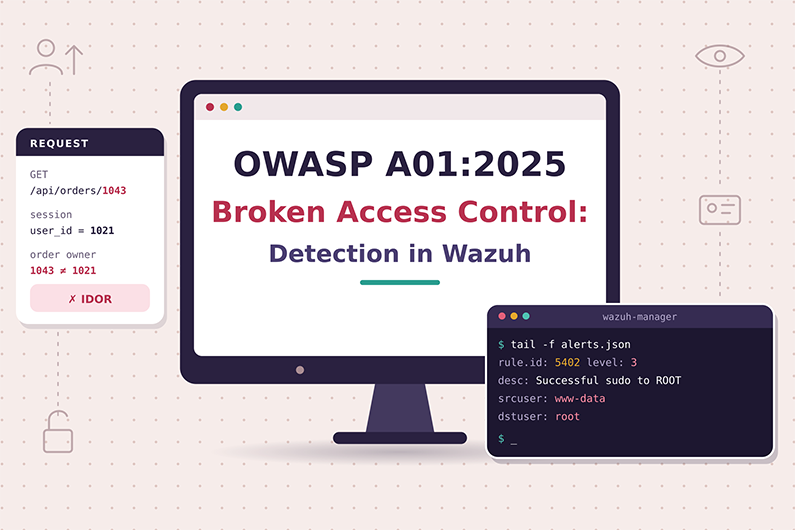
Broken Access Control (OWASP A01:2025): Detecting IDOR and SSRF with Wazuh
Broken access control is the first category in the OWASP Top 10:2025 and the most common weakness in OWASP’s data: every tested application had some form of it. It happens when the server does not correctly enforce what a user is allowed to do, so a normal user can read another customer’s records, use admin functions or, through Server Side Request Forgery, make the server reach internal systems.
For a SOC, broken access control is difficult because the attacker is usually logged in with a real account and sends normal looking requests. This article explains how these attacks work, the evidence they leave, how to detect them with Wazuh custom rules and application logs, and how a SOC analyst investigates and responds, using a hypothetical invoice enumeration case.
This guide is part of the series OWASP Top 10 for SOC Analysts: Web Attack Detection and Investigation with Wazuh. For HTTP basics, how to read access logs and how Wazuh decodes web logs, see the web attack fundamentals in that guide. The official OWASP description of this category is at OWASP A01:2025 Broken Access Control.
Table of Contents
- What Is Broken Access Control?
- How Broken Access Control Attacks Work
- Broken Access Control Attack Examples
- Broken Access Control Indicators and Evidence
- How to Detect Broken Access Control with Wazuh
- Practical SOC Investigation Scenario: Invoice Enumeration on a Billing Portal
- Incident Response Process
- Prevention and Remediation
- Related OWASP Categories
- Frequently Asked Questions
- Conclusion
- Continue the OWASP Top 10 Series
- References and Further Reading
What Is Broken Access Control?
Definition: Broken Access Control means the application does not correctly check what a logged in or anonymous user is allowed to do, so a user can read, change or delete data, or use functions, that belong to someone else or to a higher role.
Key terms:
- Authentication answers “who are you?” (login).
- Authorization or access control answers “what are you allowed to do?” A01 is about authorization.
- IDOR (Insecure Direct Object Reference) means the app uses an ID from the request, such as
invoice_id=10422, and returns the object without checking ownership. Related weakness:CWE-639. - Privilege escalation means gaining a higher role, for example a normal user using admin functions.
- Forced browsing means typing or guessing URLs such as
/adminthat are not linked in the menu. - SSRF (Server Side Request Forgery) means tricking the server into sending a request to a place the attacker cannot reach directly, such as an internal admin page or a cloud metadata service. In 2025 OWASP placed SSRF (
CWE-918) in A01. - CSRF (Cross Site Request Forgery,
CWE-352) means a malicious site makes a victim’s browser send an unwanted request using the victim’s session. OWASP also maps CSRF to A01. - CORS (Cross Origin Resource Sharing) is a browser rule set. A wrong CORS setting can let an untrusted website call your API with a user’s session.
What weakness it represents: The server trusts something the user controls, such as an ID in the URL, a hidden form field, a role value in a cookie or token, or the fact that a button is hidden in the user interface.
Why it happens:
- Developers check permissions in the browser (JavaScript) instead of on the server.
- Each API endpoint implements its own check, and some endpoints are forgotten, especially
PUT,PATCHandDELETE. - The app checks “is the user logged in?” but not “does this user own this record?”
- The default is “allow” instead of “deny by default”.
- Tokens such as a JWT (JSON Web Token, a signed token carrying user claims) are accepted without proper validation or are never expired.
Why attackers target it: It is easy to test. An attacker only needs a normal account and a tool that changes requests. OWASP reports that 100% of tested applications had some form of broken access control, and it has the highest number of occurrences in the 2025 data.
What can happen after successful exploitation:
- Unauthorized reading of data (confidentiality loss).
- Unauthorized changing or deleting of data (integrity loss).
- Business functions used outside limits, such as approving your own refund.
- Full admin takeover of the application.
- With SSRF, access to internal services or cloud credentials.
Business assets affected: customer personal data, invoices and orders, health or financial records, employee records, admin consoles, internal APIs, and cloud credentials.
How Broken Access Control Attacks Work
- What the attacker needs first: usually a normal user account (a free customer signup is enough), a browser, and a proxy tool that lets them view and edit requests. For forced browsing or SSRF, sometimes no account is needed.
- What part of the application is targeted: API endpoints that take an object ID, admin pages, role or permission fields, and features that fetch a URL on the server side (for example “import image from URL”).
- What the attacker sends or changes:
- Changes an ID:
/api/invoices/10421becomes/api/invoices/10422. - Requests a hidden page:
/admin/users. - Changes a role in a request body:
"role": "user"becomes"role": "admin". - Changes the HTTP method: from
GETtoDELETEon the same resource. - For SSRF, puts an internal address in a URL parameter.
- Changes an ID:
- What the vulnerable application does: It processes the request without checking whether this user is allowed to access this object or function.
- How the attacker exploits it: After one successful test, the attacker automates it, for example by looping through thousands of IDs.
- What happens when it succeeds: The server returns
200 OKwith someone else’s data, or performs the action. - Evidence it may leave:
- Access logs showing one user or IP requesting many sequential IDs.
- Requests to admin paths from non admin users or unusual IPs.
- Application logs (if they exist) showing user A reading objects owned by user B.
- A mix of
403responses (blocked tries) and200responses (successes) from the same source. - For SSRF, outbound connections from the web server to internal or metadata addresses.
Broken Access Control Attack Examples
Example 1: IDOR on an invoice API
- Situation: A software company has a customer portal. Customers download invoices from
/api/invoices/{id}. - Attacker objective: Collect other companies’ invoices, which contain names, addresses and amounts.
- Attacker actions: Logs in with a trial account, opens their own invoice
10421, then sends requests for nearby numbers. - Example request:
GET /api/invoices/10422 HTTP/1.1
Host: portal.example.com
Cookie: session=4b9e21c07fd84c3a8e5d6f1a2c90b7e3
- Vulnerable application behavior: The code checks that the session is valid but not that invoice
10422belongs to the trial account. It returns the invoice. - Representative access log entries:
203.0.113.45 - - [04/Nov/2026:10:15:31 +0000] "GET /api/invoices/10421 HTTP/1.1" 200 1790 "-" "python-requests/2.31.0"
203.0.113.45 - - [04/Nov/2026:10:15:32 +0000] "GET /api/invoices/10422 HTTP/1.1" 200 1834 "-" "python-requests/2.31.0"
203.0.113.45 - - [04/Nov/2026:10:15:32 +0000] "GET /api/invoices/10423 HTTP/1.1" 200 1801 "-" "python-requests/2.31.0"
- Attempt versus success: If the server answered
403or404for invoices the user does not own, it is only an attempt. Because it answered200with normal invoice sized responses, it is likely successful exploitation. Final proof comes from the application team confirming that invoice10422belongs to a different customer. - Impact: Personal and financial data exposure for many customers, possible privacy breach notification.
Example 2: Forced browsing to an admin function
- Situation: An HR application hides the “Export all employees” button from normal staff. The page
/admin/exportstill exists. - Attacker objective: An employee wants salary data for all staff.
- Attacker actions: Types the URL directly in the browser.
- Example request:
GET /admin/export?format=csv - Vulnerable application behavior: The menu is hidden in the user interface, but the server does not check the role. It returns the CSV file.
- Attempt versus success:
403 Forbiddenmeans the control worked.200with a large response size (for example 2 MB) means the export likely succeeded. - Impact: Internal data leak, privacy violation, insider threat case.
Example 3: SSRF Through an Image Import Feature
- Situation: A marketing site lets users import a profile picture from a URL.
- Attacker objective: Reach the cloud metadata service, which can return temporary cloud credentials.
- Example request:
GET /profile/import?image_url=http://169.254.169.254/latest/meta-data/ HTTP/1.1
- Vulnerable application behavior: The server fetches whatever URL is given, including internal addresses.
- Attempt versus success: The request in the access log is an attempt. Success is shown by an outbound connection from the web server to
169.254.169.254(seen in firewall, cloud flow logs or endpoint telemetry) and by an unusual response size, or later by those cloud credentials being used from an unexpected location. - Impact: Cloud account compromise if credentials are exposed. (Cloud metadata protections such as token required metadata access reduce this risk.)
Broken Access Control Indicators and Evidence
- One user or IP requests many sequential object IDs
- Where you see it: Web access logs
- Strength: Suspicious signal. Could be a legitimate bulk tool
- The same session reads objects owned by many different customers
- Where you see it: Application logs with user and owner fields
- Strength: Strong evidence
200responses to/adminpaths from a non admin account- Where you see it: Access logs plus app logs that include the user and role
- Strength: Strong evidence
- Many
403responses followed by a200on a similar path- Where you see it: Access logs
- Strength: Suspicious, shows probing that may have found a gap
- Changed HTTP methods (
PUT,DELETE) on resources normally only read- Where you see it: Access logs
- Strength: Suspicious
- Role or permission fields in request bodies, such as
"isAdmin": true- Where you see it: WAF or app logs (bodies are not in access logs)
- Strength: Strong if the change was accepted
- URL parameters containing internal IPs,
localhostor169.254.169.254- Where you see it: Access logs, WAF logs
- Strength: Suspicious (attempt)
- Outbound connection from web server to metadata or internal admin IPs
- Where you see it: Firewall, cloud flow logs, Sysmon Event 3
- Strength: Strong evidence for SSRF success
- Response sizes much larger than normal for that endpoint
- Where you see it: Access logs (bytes field)
- Strength: Suspicious, supports data exposure
- Script user agents such as
python-requestsorcurlon customer APIs- Where you see it: Access logs
- Strength: Weak signal alone
How to Detect Broken Access Control with Wazuh
Required Log Sources
- Web server access logs (Apache, NGINX, IIS)
- Necessary or optional: Necessary
- Why: Shows path, ID, method, status and source IP
- Application logs with user ID, object ID, owner and decision (allow or deny)
- Necessary or optional: Strongly recommended
- Why: The only reliable way to prove “user A accessed user B’s object”
- WAF logs
- Necessary or optional: Optional
- Why: Shows blocked tampering and request bodies if configured
- Reverse proxy or load balancer logs
- Necessary or optional: Necessary if a proxy hides client IPs
- Why: Gives the real client IP
- Firewall, cloud flow logs or Sysmon network events from the web server
- Necessary or optional: Necessary for SSRF
- Why: Shows outbound requests made by the server
- Identity provider logs
- Necessary or optional: Optional
- Why: Connects sessions to real user identities
What Wazuh Can and Cannot Detect
- Directly with built in rules: Wazuh does not have a built in “IDOR” or “broken access control” rule. Built in web rules can still help:
- Rule 31101 (level 5) “Web server 400 error code” and rule 31151 (level 10) “Multiple web server 400 error codes from same source ip” (14 events in 90 seconds). Many
403and404responses can show forced browsing. - Rule 31516 (level 6) “Suspicious URL access” matches paths such as
/server-statusand.bakfiles.
- Rule 31101 (level 5) “Web server 400 error code” and rule 31151 (level 10) “Multiple web server 400 error codes from same source ip” (14 events in 90 seconds). Many
- Needs custom rules: sequential ID enumeration, admin paths returning
200to unexpected sources, SSRF style parameters. - Needs application logs: proving ownership violations. Access logs do not know who owns invoice 10422.
- Needs external telemetry: SSRF success needs network data from the web server (Sysmon Event 3 on Windows, auditd or firewall logs on Linux, or cloud flow logs).
- Cannot be reliably detected by Wazuh alone: a single quiet IDOR request by a logged in user that looks exactly like normal traffic. Detecting it needs business context (who owns what).
- Suspicious activity versus proof: A rule that counts 30 invoice reads in one minute detects suspicious behavior. Only ownership data proves a vulnerability was exploited.
Wazuh Rules for Broken Access Control
All rules below are custom rules (examples). Place them in /var/ossec/etc/rules/local_rules.xml (or a new file in /var/ossec/etc/rules/) on the Wazuh manager.
Rule logic:
- 100101: An admin path returned
200to a source IP outside the internal range10.0.0.0/8. - 100102 and 100103: Count successful invoice reads by ID. If one source IP makes 30 of them in 60 seconds, raise an alert.
- 100104: A URL parameter contains an internal or cloud metadata address, a common SSRF attempt.
Fields inspected: url, id (HTTP status) and srcip, all produced by the built in web-accesslog decoder. All rules use built in rule 31100 as the parent.
<group name="custom_owasp,owasp_a01,web,">

  <!-- Custom rule (example): admin area returned 200 to a non internal source -->
  <rule id="100101" level="10">
    <if_sid>31100</if_sid>
    <url type="pcre2">(?i)^/(admin|api/admin|manage)(/|\?|$)</url>
    <id>^200$</id>
    <srcip negate="yes">10.0.0.0/8</srcip>
    <description>OWASP A01: Admin path returned 200 to a source outside the internal network</description>
    <mitre>
      <id>T1190</id>
    </mitre>
  </rule>

  <!-- Custom rule (example): low level counter for successful invoice reads by ID -->
  <rule id="100102" level="2">
    <if_sid>31100</if_sid>
    <url type="pcre2">^/api/invoices/\d+$</url>
    <id>^200$</id>
    <description>OWASP A01: Invoice object retrieved by numeric ID</description>
  </rule>

  <!-- Custom rule (example): many invoice IDs from one source in a short time -->
  <rule id="100103" level="10" frequency="30" timeframe="60">
    <if_matched_sid>100102</if_matched_sid>
    <same_srcip />
    <description>OWASP A01: Possible IDOR enumeration, 30 invoice reads from one source in 60 seconds</description>
    <mitre>
      <id>T1190</id>
    </mitre>
  </rule>

  <!-- Custom rule (example): internal or metadata address inside a URL parameter -->
  <rule id="100104" level="8">
    <if_sid>31100</if_sid>
    <url type="pcre2">(?i)=(https?|gopher|file)(%3A|:)(%2F|/){2}(169\.254\.169\.254|127\.0\.0\.1|localhost|metadata\.google\.internal)</url>
    <description>OWASP A01: Possible SSRF attempt, internal or metadata address in a URL parameter</description>
    <mitre>
      <id>T1190</id>
    </mitre>
  </rule>

</group>
Why these levels:
- 100101 at level 10: A successful admin response to an outside IP should be looked at quickly, but it may be a legitimate remote admin, so it is not level 12 or above.
- 100102 at level 2: It only counts. Level 2 is below the default alert logging threshold (level 3), so it does not flood the alert index. It must not be level 0, because the Wazuh analysis engine stops processing a level 0 match before storing it for correlation, so a frequency rule could never count it (checked in the
wazuh-analysisdsource,src/analysisd/analysisd.c, v4.14.10). - 100103 at level 10: Level 10 in the Wazuh classification means “multiple user generated errors” or repeated suspicious events. It needs review but is not yet proof.
- 100104 at level 8: An attempt only. Success must be confirmed with network data.
Engine detail: Child rules under the same parent are checked in order of level, highest first (also verified in src/analysisd/rules_list.c). That is why a level 10 custom rule under 31100 is checked before built in 31101 (level 5).
How to test with sample logs:
- On the manager run
/var/ossec/bin/wazuh-logtest. - Paste this line to test 100101:
198.51.100.20 - - [04/Nov/2026:11:02:10 +0000] "GET /admin/users HTTP/1.1" 200 5120 "-" "Mozilla/5.0"
- Expected result in Phase 3:
id: '100101',level: '10'. - To test 100103, paste 30 lines with
/api/invoices/10422,/api/invoices/10423and so on from the same IP inside one session. The thirtieth line should show100103.wazuh-logtestkeeps rule state, including earlier matches, separately for each session, so frequency rules can be tested. - Paste this line to test 100104:
203.0.113.77 - - [04/Nov/2026:11:05:44 +0000] "GET /profile/import?image_url=http://169.254.169.254/latest/meta-data/ HTTP/1.1" 200 312 "-" "curl/8.5.0"
- Restart the manager after saving:
systemctl restart wazuh-manager.wazuh-logtestreads saved rules without a restart, but live alerting needs the restart.
Expected alert (representative, shortened):
{
  "timestamp": "2026-11-04T10:16:02.114+0000",
  "rule": {
    "level": 10,
    "description": "OWASP A01: Possible IDOR enumeration, 30 invoice reads from one source in 60 seconds",
    "id": "100103",
    "frequency": 30,
    "firedtimes": 1,
    "mitre": { "id": ["T1190"], "tactic": ["Initial Access"], "technique": ["Exploit Public-Facing Application"] },
    "groups": ["custom_owasp", "owasp_a01", "web"]
  },
  "agent": { "id": "014", "name": "portal-web-01", "ip": "10.20.4.15" },
  "decoder": { "name": "web-accesslog" },
  "data": { "protocol": "GET", "srcip": "203.0.113.45", "id": "200", "url": "/api/invoices/10451" },
  "location": "/var/log/nginx/access.log",
  "full_log": "203.0.113.45 - - [04/Nov/2026:10:16:02 +0000] \"GET /api/invoices/10451 HTTP/1.1\" 200 1822 \"-\" \"python-requests/2.31.0\""
}
Investigating the Alert in Wazuh
- Where to find the alert: In the Wazuh dashboard open Threat Hunting, then the Events tab. Filter with
rule.id:100103. You can also use Discover with thewazuh-alerts-*index pattern. - Fields to inspect:
rule.id,rule.description,rule.level,data.srcip,data.url,data.id,agent.name,location,full_log,timestamp. - Source IP: Read
data.srcip. Check if it is internal, a known partner, a VPN, or a cloud host. If the server is behind a proxy, confirm the real client IP from proxy logs. - Affected application:
agent.nametells you which server.locationtells you which log file and therefore which site. - Affected user account: Access logs usually do not contain the user. Search application logs for the same IP and time to find the session and user ID.
- Timestamps: Find the first and last request from that IP. Note the time zone in the log.
- Correlate: Search all events from
data.srcipfor one hour before and after. Look for login events,403responses, admin paths and other endpoints. - Was it successful? Look at status codes and response sizes in
full_log. Ask the application team whether the returned IDs belong to the logged in customer. - Impact: Count unique IDs returned with
200. Identify which customers own them. - Document: Save the alert JSON, the list of URLs, counts, the user identity, and your conclusion with confidence level.
Useful Wazuh Dashboard Queries
The Wazuh dashboard search bar accepts DQL (Dashboards Query Language) from OpenSearch Dashboards, as in the official Wazuh proof of concept guides (for example rule.id:31103).
rule.id:100103- What it finds: Possible IDOR enumeration alerts
- What to look for: Which IPs and which time windows
data.srcip:"203.0.113.45" and data.url:/api/invoices/*- What it finds: All invoice requests from one IP
- What to look for: Range of IDs, mix of 200 and 403
data.srcip:"203.0.113.45" and data.id:403- What it finds: Blocked requests from the IP
- What to look for: Probing before success
rule.id:(31101 or 31151) and data.url:*admin*- What it finds: Errors on admin paths
- What to look for: Forced browsing patterns
rule.id:100101- What it finds: Admin pages answered with 200 to outside sources
- What to look for: Unknown IPs, odd hours
rule.id:100104 or data.url:*169.254.169.254*- What it finds: SSRF attempts
- What to look for: Then search firewall or Sysmon data for real outbound connections
data.win.system.eventID:3 and data.win.eventdata.destinationIp:"169.254.169.254"- What it finds: Sysmon Event 3 (network connection) to the metadata address, Windows web servers with Sysmon only. Built in rule 61605 for Sysmon Event 3 is level 0 and creates no alert, so run this query on the
wazuh-archives-*index (archives must be enabled), or write a custom child rule of 61605 with level 3 or higher to get alerts - What to look for: Which process made the connection
- What it finds: Sysmon Event 3 (network connection) to the metadata address, Windows web servers with Sysmon only. Built in rule 61605 for Sysmon Event 3 is level 0 and creates no alert, so run this query on the
Detection Limitations
- Blind spot: Access logs show “a request for invoice 10422” but not “this invoice belongs to someone else”. Without application logs, IDOR can look normal.
- Body changes are invisible: Changing
"role":"admin"in a JSON body does not appear in access logs. - Slow attackers: One request every few minutes will not reach the frequency threshold.
- False positives: Customer integrations, reporting tools and internal batch jobs legitimately read many IDs. Build allow lists.
- Proxy IPs: If all traffic shows the load balancer IP,
same_srcipcorrelation is useless until the real client IP is logged. - GUIDs: If IDs are random GUIDs, enumeration is harder for attackers, but leaked GUIDs can still be abused one by one.
- Improve visibility: Ask developers to log
user_id,object_id,owner_idanddecisionfor sensitive objects in JSON format, then write Wazuh rules on those fields. LogX-Forwarded-For. Collect WAF logs and outbound network logs from web servers.
Practical SOC Investigation Scenario: Invoice Enumeration on a Billing Portal
Organization and affected application. A B2B software company runs a customer billing portal. Customers download invoices through a REST API at /api/invoices/{id}. The portal runs behind NGINX, and a Wazuh agent forwards the NGINX access logs to the Wazuh manager.
Initial suspicious activity. A trial account created that morning logs in and then starts requesting invoice IDs in strict numeric order from a script.
Initial detection. At 10:16 UTC, custom rule 100103 (“Possible IDOR enumeration, 30 invoice reads from one source in 60 seconds”) fires for source 203.0.113.45. It fires again for every further 30 requests that arrive within 60 seconds, so it keeps firing for as long as the script runs.
Logs examined. The SOC analyst filters Threat Hunting with data.srcip:"203.0.113.45" for the last 24 hours, then requests the portal’s application log, which records the tenant that owns each invoice.
Suspicious indicators. The access logs show a login at 10:12, followed by about 1,900 GET /api/invoices/{id} requests with IDs increasing by one. Every request returns 200, the user agent is python-requests, and response sizes stay between 1,700 and 1,900 bytes, which matches a real invoice rather than an error page.
Event correlation. The application log ties the session to the trial tenant. Only 3 of the roughly 1,900 invoice IDs belong to that tenant.
Assessment of successful exploitation. The frequency alert on its own only shows suspicious activity. The 200 responses with invoice sized bodies make success likely. The ownership data from the application team confirms successful exploitation of an IDOR: the server returned objects owned by other tenants. Because customer data was exposed, the event is handled as a confirmed security incident. The user authenticated correctly, so this is authorization (A01), not A07.
Potential business impact. Invoices from around 400 customer organizations were returned. They contain company names, contact names, billing addresses and amounts, so privacy and legal teams must assess notification duties.
Incident response actions. The SOC escalates the case as High, then Critical once exposure is confirmed, and preserves the logs. It recommends a WAF block for the IP and disabling the trial account. The platform team applies the block, and the application team temporarily disables the invoice endpoint.
Recommended remediation. Developers add a server side ownership check to every invoice request. The application starts logging authz_denied events, and the SOC adds a Wazuh rule on them. Verification confirms that cross tenant requests now return 403.
Incident Response Process
- Initial triage
- What happens: Confirm the alert matches real requests, identify the app, check if activity is ongoing
- Who does it: SOC L1
- Evidence collection
- What happens: Export alert JSON, raw access logs, app logs, WAF logs for the window
- Who does it: SOC L1 or L2
- Event correlation
- What happens: Link IP, session, user ID, tenant, and other endpoints touched
- Who does it: SOC L2
- Severity assessment
- What happens: Attempts only (Low or Medium), confirmed cross user data (High), large scale personal data (Critical)
- Who does it: SOC L2
- Impact assessment
- What happens: Count records and owners exposed or changed
- Who does it: SOC L2 with app team
- Escalation
- What happens: Notify incident lead, app owner, privacy officer if personal data
- Who does it: SOC L2
- Containment recommendation
- What happens: Block IP or account, disable endpoint, revoke sessions
- Who does it: SOC recommends. App and platform teams execute
- Coordination
- What happens: Developers add server side checks; app security retests
- Who does it: Development, AppSec
- Remediation verification
- What happens: Replay safe test requests; confirm
403; check logs for new denials - Who does it: SOC with AppSec
- What happens: Replay safe test requests; confirm
- Documentation and closure
- What happens: Timeline, root cause (missing ownership check), lessons, new detection rules
- Who does it: SOC, incident lead
Prevention and Remediation
- Deny by default for everything except public resources.
- Enforce access control on the server, never only in the browser.
- Check record ownership on every read, update and delete.
- Use one shared, tested authorization component instead of checks scattered in each endpoint.
- Disable directory listing and remove
.gitfolders and backup files from web roots. - Keep JWTs short lived and invalidate sessions on logout.
- Restrict CORS to trusted origins.
- For SSRF, allow list outbound destinations and block metadata and internal ranges at the network level.
- Apply rate limits on APIs.
- Log access control failures and alert on repeated failures, as OWASP recommends. This is where the SOC benefits directly.
Related OWASP Categories
- A07:2025 Authentication Failures: If the attacker used a stolen identity instead of their own account, the root cause is authentication, not authorization. See the side by side comparison.
- A10:2025 Mishandling of Exceptional Conditions: When an access check exists but the application allows access after the check errors out, the root cause is failing open, which is A10. See the side by side comparison.
- A06:2025 Insecure Design: Unrestricted file uploads and missing business limits are design flaws covered in A06.
Frequently Asked Questions
Can Wazuh detect IDOR attacks out of the box?
No. Access logs do not know who owns an object, so there is no built in IDOR rule. Wazuh can detect suspicious patterns with custom rules, such as many sequential object IDs from one source. Proving an IDOR needs application logs that record the user and the object owner, or confirmation from the application team.
Which HTTP status codes matter when investigating broken access control?
A 403 Forbidden usually means the access check worked. Some applications return 404 to hide that a resource exists. A 200 on an object that belongs to another user, or on an admin page for a non admin account, means the control failed. Many 403 responses followed by 200 responses on similar paths often show that probing found a gap.
What is the difference between horizontal and vertical privilege escalation?
Horizontal escalation means accessing data of another user at the same level, such as another customer’s invoice. Vertical escalation means gaining a higher role, such as a normal user calling admin functions.
Why is SSRF part of Broken Access Control in OWASP 2025?
OWASP merged Server Side Request Forgery (CWE-918) into A01 because SSRF lets an attacker make the server access resources the attacker is not allowed to reach directly. That is an access control bypass performed through the server.
How do SOC teams reduce false positives on enumeration rules?
They exclude known integration IPs and service accounts, raise thresholds for endpoints with heavy legitimate use, add conditions such as script user agents, and prefer application log rules that compare the user with the object owner, which produce far fewer false positives than counting requests.
Conclusion
Broken access control is the most common web application weakness, and it is also one of the hardest to see in logs. Access logs show that an object was requested, not that it belonged to someone else. Wazuh custom rules can flag enumeration, admin paths returning 200 and SSRF style parameters, but reliable detection depends on application logs that record the user, the object owner and the authorization decision.
When a SOC confirms broken access control, the fix belongs to developers: server side ownership checks, deny by default and one shared authorization component. The SOC’s role is to prove exposure with evidence, scope the affected records, recommend containment and verify that cross user requests now return 403.
Continue the OWASP Top 10 Series
- Series overview: OWASP Top 10 for SOC Analysts: Web Attack Detection and Investigation with Wazuh
- Next category: Security Misconfiguration (OWASP A02:2025): Detection and Investigation with Wazuh
References and Further Reading
- OWASP A01:2025 Broken Access Control
- CWE-22 Path Traversal
- CWE-352 Cross Site Request Forgery
- CWE-639 Authorization Bypass Through User Controlled Key
- CWE-918 Server Side Request Forgery
- MITRE ATT&CK T1190 Exploit Public Facing Application
- Wazuh documentation: Rules syntax
- Wazuh documentation: Custom rules
- Wazuh documentation: Testing decoders and rules
- Wazuh documentation: Rules classification
- Wazuh built in web rules: 0245-web_rules.xml
- Wazuh web access log decoders: 0375-web-accesslog_decoders.xml
- OpenSearch Dashboards Query Language (DQL)


Trackbacks/Pingbacks