
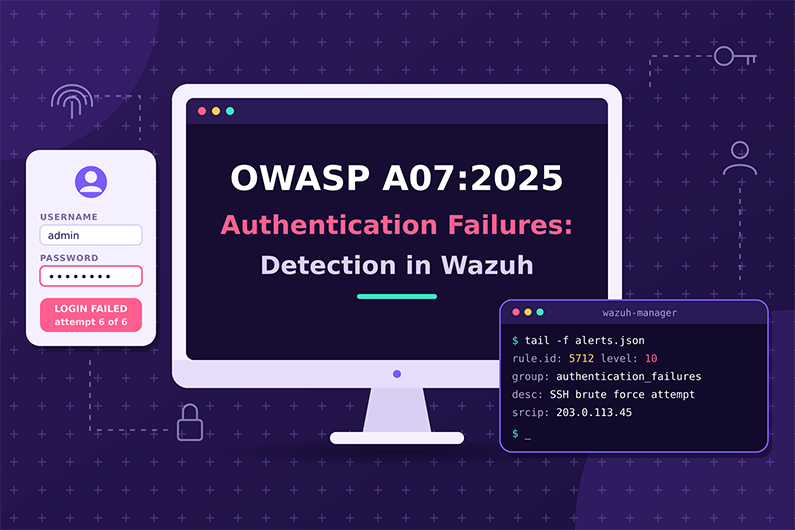
Authentication Failures (OWASP A07:2025): Detecting Credential Stuffing, Brute Force, and Spraying with Wazuh
Authentication Failures are A07 in the OWASP Top 10:2025. They let an attacker be accepted as a legitimate user because the login, session or recovery process is weak: no rate limiting, no MFA, weak or default passwords, or sessions that are not handled safely. Credential stuffing, password spraying and brute force are the most common attacks, which makes credential stuffing detection one of the most frequent SOC tasks.
Good credential stuffing detection combines built in Wazuh rules for Windows, Linux and web server authentication with custom rules on application login logs. Success after failure is the key signal, and post login activity confirms the takeover. This article explains how authentication attacks work, which indicators matter, how to build Wazuh rules for spraying, brute force and session reuse, and how a SOC investigates a hypothetical credential stuffing wave against a mobile login API.
This guide is part of the series OWASP Top 10 for SOC Analysts: Web Attack Detection and Investigation with Wazuh. For HTTP basics, how to read access logs and how Wazuh decodes web logs, see the web attack fundamentals in that guide. The official OWASP description of this category is at OWASP A07:2025 Authentication Failures.
Table of Contents
- What Are Authentication Failures?
- How Authentication Attacks Work
- Credential Stuffing and Password Spraying Examples
- Authentication Attack Indicators and Evidence
- How to Detect Authentication Attacks with Wazuh
- Practical SOC Investigation Scenario: Credential Stuffing Against a Mobile Login API
- Incident Response Process
- Prevention and Remediation
- Related OWASP Categories
- Frequently Asked Questions
- Conclusion
- Continue the OWASP Top 10 Series
- References and Further Reading
What Are Authentication Failures?
Definition: Authentication Failures happen when an attacker can trick the system into accepting them as a legitimate user, because the login, session or recovery process is weak: no protection against password guessing or credential stuffing, weak or default passwords, missing MFA, hardcoded credentials, or sessions that are not handled safely.
Key terms:
- Credential stuffing: Using username and password pairs leaked from other breaches against your site.
- Password spraying: Trying a few common passwords (for example
Winter2026!) against many accounts to avoid lockouts. OWASP 2025 also describes hybrid attacks that adjust leaked passwords, such as changingWinter2025toWinter2026. - Brute force: Many password guesses against one account.
- MFA (Multi Factor Authentication) requires two or more proofs, such as a password plus an app code.
- Session ID or session token: The value (often in a cookie) that keeps a user logged in after authentication.
- Session fixation (
CWE-384): The app keeps the same session ID before and after login, so an attacker who planted the ID can use it. - Hardcoded credentials (
CWE-798): Passwords or keys written into code or firmware. - SSO (Single Sign On) lets one login give access to many apps. SLO (Single Logout) should log the user out of all of them.
What weakness it represents: The system cannot reliably distinguish the real user from an attacker. Notable CWEs listed by OWASP include CWE-287 (improper authentication), CWE-384 (session fixation), CWE-798 (hardcoded credentials) and CWE-297 (certificate host mismatch).
Why it happens:
- Passwords are the only factor.
- No rate limiting, lockout or bot protection on login.
- Weak password policies or no check against breached password lists.
- Session tokens are exposed in URLs, not rotated after login, or not invalidated on logout or timeout.
- Default or hardcoded credentials remain in products.
Why attackers target it: Billions of leaked credentials are available, and people reuse passwords. A valid login looks like normal use, which helps attackers stay hidden.
What can happen after successful exploitation: Account takeover, fraud, data theft under a real user’s identity, admin access if an admin account is taken, and further phishing from the compromised account.
Business assets affected: customer and employee accounts, admin accounts, VPN and email access, payment functions, personal data.
How Authentication Attacks Work
- What the attacker needs first: A list of usernames (often email addresses) and leaked passwords, or a list of common passwords, plus automation tools and many IP addresses (proxies).
- What part is targeted: Login pages and APIs, mobile app login endpoints, password reset, MFA prompts, session cookies.
- What the attacker sends: Many login requests with different username and password pairs, often slowly and from many IPs.
- What the vulnerable application does: Answers each attempt without limits and returns different responses for valid and invalid accounts, which acts as a “password oracle”.
- How the attacker exploits it: Collects the pairs that work, then logs in and uses the accounts.
- What happens on success: The attacker has a valid session, indistinguishable from the user unless context (location, device, behavior) is checked.
- Evidence left behind: Many failures across many accounts, failures followed by success, logins from new countries or hosting providers, impossible travel, session use from two IPs, MFA prompt floods, password and email changes after login.
Credential Stuffing and Password Spraying Examples
Example 1: Credential stuffing against a retail login API
- Situation: An online fashion retailer’s mobile app logs in through
POST /api/v2/login. There is no MFA for customers and no bot protection. - Attacker objective: Take over accounts with stored payment cards and loyalty points.
- Attacker actions: Uses a leaked list of 200,000 email and password pairs and rotates through proxy IPs.
- Representative application log (JSON):
{"log_type":"auth","event":"login_failed","username":"anna.k@example.com","client_ip":"203.0.113.150","reason":"bad_password","user_agent":"okhttp/4.12.0"}
{"log_type":"auth","event":"login_failed","username":"ben.t@example.com","client_ip":"203.0.113.150","reason":"unknown_user","user_agent":"okhttp/4.12.0"}
{"log_type":"auth","event":"login_success","username":"carla.m@example.com","client_ip":"203.0.113.150","mfa":"none","user_agent":"okhttp/4.12.0"}
- Vulnerable behavior: No rate limit, and different reasons (
bad_passwordversusunknown_user) reveal which accounts exist. - Attempt versus success: Each
login_failedis an attempt. Alogin_successfrom the same IP after many failures for other accounts is very likely a stuffing success, confirmed if the real user did not log in from that IP and if the session then changes the shipping address or uses points. - Impact: Account takeover, fraud with stored cards, loyalty point theft.
Example 2: Password spray against an employee portal
- Situation: A law firm’s web based email and document portal uses Windows authentication against Active Directory. Some accounts are exempt from MFA.
- Attacker objective: Get one employee account for internal phishing.
- Attacker actions: Tries
Autumn2026!against 400 employee usernames once each, from a single IP, slowly. - Representative Windows evidence: Many Event ID 4625 (failed logon) for different
TargetUserNamevalues with the same sourceIpAddress, then one Event ID 4624 (successful logon) forj.ward. - Attempt versus success: 399 failures are attempts. The single 4624 from the same IP is success, confirmed if
j.warddid not log in at that time. - Impact: A foothold inside the firm, access to confidential client documents.
Example 3: Session not invalidated (from the OWASP scenario)
An employee uses a shared computer, closes the tab without logging out, and the session never times out. The next person opens the app and is still logged in as the first employee. Evidence: the same session ID used by a different workstation or later at an unusual time. With SSO and no Single Logout, logging out of one app may leave the user logged in to others.
Authentication Attack Indicators and Evidence
- Many failed logins for one account
- Where you see it: App auth logs, Windows 4625, Linux auth logs
- Strength: Suspicious (brute force or user forgot password)
- Failed logins for many accounts from one IP
- Where you see it: App auth logs, Windows 4625
- Strength: Strong sign of spraying or stuffing
- High ratio of
unknown_userfailures- Where you see it: App auth logs
- Strength: Strong sign of stuffing with leaked lists
- Success after many failures from the same IP
- Where you see it: Correlation
- Strength: Strong sign of compromise
- Login from a new country, hosting provider or TOR exit
- Where you see it: App logs plus IP enrichment
- Strength: Suspicious
- Impossible travel (two countries in minutes)
- Where you see it: Correlation
- Strength: Strong
- Same session ID used from two different IPs
- Where you see it: App session logs
- Strength: Strong sign of session hijacking (check mobile network changes)
- Many MFA push requests to one user
- Where you see it: Identity provider logs
- Strength: Strong sign of MFA fatigue attack
- Password, email or MFA device changed right after a new login
- Where you see it: App or identity logs
- Strength: Strong sign of takeover
- Successful login with a default account name such as
admin- Where you see it: App logs
- Strength: Strong
How to Detect Authentication Attacks with Wazuh
Required Log Sources
- Application authentication logs (JSON) with username, IP, result, reason, MFA status
- Necessary or optional: Necessary for web app logins
- Why: Web logins are usually not in OS logs
- Web access logs
- Necessary or optional: Recommended
- Why: Request volume to
/login, status codes
- Windows Security Event Log (4624, 4625, 4740)
- Necessary or optional: Necessary when the app uses Windows or AD authentication
- Why: Built in Wazuh rules exist
- Linux authentication logs (
/var/log/auth.log,/var/log/secure)- Necessary or optional: Necessary for SSH and PAM
- Why: Built in Wazuh rules exist
- Identity provider logs (for example Microsoft Entra ID, Okta)
- Necessary or optional: Recommended, needs integration
- Why: MFA, SSO and risky sign ins
- Web server authentication logs (Basic auth failures in Apache or NGINX error logs)
- Necessary or optional: Optional
- Why: Built in rules exist
What Wazuh Can and Cannot Detect
- Directly with built in rules (all checked in the v4.14.10 ruleset):
- Windows: 60122
Logon Failure - Unknown user or bad password(level 5), 60204 “Multiple Windows Logon Failures” (level 10), 60106 “Windows Logon Success” (level 3), 60115 “User account locked out (multiple login errors)” (level 9). - Linux SSH and PAM: 5716 “sshd: authentication failed” (level 5), 5710
sshd: Attempt to login using a non-existent user(level 5), 5720 “sshd: Multiple authentication failures” (level 10), 5763 “sshd: brute force trying to get access to the system. Authentication failed.” (level 10), 5503 “PAM: User login failed” (level 5), 5551 “PAM: Multiple failed logins in a small period of time” (level 10). - Web servers and CMS: 30108 “Apache: User authentication failed”, 31315 “Nginx: Web authentication failed” and 31316 “Nginx: Multiple web authentication failures”, 31509 “CMS (WordPress or Joomla) login attempt” (level 3) and 31510 “CMS (WordPress or Joomla) brute force attempt” (level 8, 8 in 30 seconds).
- Correlation: 40112 “Multiple authentication failures followed by a success” (level 12). It fires when an event in group
authentication_successfollows events in groupauthentication_failuresfrom the same source IP within 240 seconds.
- Windows: 60122
- Needs custom rules: Custom web application login logs, password spraying across many accounts (different usernames), session reuse from different IPs.
- Needs application logs: Yes, for any custom web login. Without them, the SOC only sees
POST /loginand status codes. - Needs external integrations: Identity provider logs, IP reputation and geolocation enrichment, MFA logs.
- Cannot be reliably detected by Wazuh alone: a single correct login with a stolen password from a normal looking location, session hijacking when the session ID is not logged, and slow distributed stuffing across thousands of IPs.
- Suspicious versus proof: A spray rule detects attack attempts. A success after spray is strong suspicion of compromise. Proof comes from the real user confirming they did not log in, or from malicious actions in the session.
Wazuh Rules for Authentication Attacks
Custom rules (examples) for JSON application authentication logs:
<group name="custom_owasp,owasp_a07,authentication,">

  <!-- Custom rule (example): application login failure -->
  <rule id="100701" level="5">
    <decoded_as>json</decoded_as>
    <field name="log_type">^auth$</field>
    <field name="event">^login_failed$</field>
    <description>OWASP A07: Application login failed for $(username) from $(client_ip)</description>
    <group>authentication_failed,</group>
  </rule>

  <!-- Custom rule (example): password spray or credential stuffing, many usernames from one IP -->
  <rule id="100702" level="10" frequency="20" timeframe="300">
    <if_matched_sid>100701</if_matched_sid>
    <same_field>client_ip</same_field>
    <different_field>username</different_field>
    <description>OWASP A07: 20 login failures for multiple accounts from $(client_ip) in 5 minutes (spray or stuffing)</description>
    <mitre>
      <id>T1110.003</id>
      <id>T1110.004</id>
    </mitre>
    <group>authentication_failures,</group>
  </rule>

  <!-- Custom rule (example): brute force against one account -->
  <rule id="100703" level="10" frequency="10" timeframe="120">
    <if_matched_sid>100701</if_matched_sid>
    <same_field>username</same_field>
    <description>OWASP A07: 10 failed logins for account $(username) in 2 minutes</description>
    <mitre>
      <id>T1110.001</id>
    </mitre>
    <group>authentication_failures,</group>
  </rule>

  <!-- Custom rule (example): application login success -->
  <rule id="100704" level="3">
    <decoded_as>json</decoded_as>
    <field name="log_type">^auth$</field>
    <field name="event">^login_success$</field>
    <description>OWASP A07: Application login success for $(username)</description>
    <group>authentication_success,</group>
  </rule>

  <!-- Custom rule (example): success from an IP that was spraying -->
  <rule id="100705" level="12" timeframe="600">
    <if_sid>100704</if_sid>
    <if_matched_sid>100702</if_matched_sid>
    <same_field>client_ip</same_field>
    <description>OWASP A07: Successful login for $(username) from $(client_ip) after a spray or stuffing pattern</description>
    <mitre>
      <id>T1078</id>
    </mitre>
  </rule>

  <!-- Custom rule (example): same session used from different IPs -->
  <rule id="100706" level="2">
    <decoded_as>json</decoded_as>
    <field name="log_type">^session$</field>
    <field name="event">^session_activity$</field>
    <description>OWASP A07: Session activity</description>
  </rule>

  <rule id="100707" level="10" frequency="2" timeframe="300">
    <if_matched_sid>100706</if_matched_sid>
    <same_field>session_id</same_field>
    <different_field>client_ip</different_field>
    <description>OWASP A07: Session for $(username) used from a different IP within 5 minutes, possible session hijacking</description>
    <mitre>
      <id>T1550.004</id>
    </mitre>
  </rule>

</group>
Notes:
- The groups
authentication_failed,authentication_failuresandauthentication_successfollow the naming used by built in rules, so dashboards that filter by these groups include the custom events. - Built in rule 40112 correlates using
same_source_ip, which relies on the staticsrcipfield. These JSON logs useclient_ip, so a dedicated rule (100705) is used instead. - As in the A06 rules,
different_fieldin 100702 compares earlier events with the current one, so the rule shows failures spread across several accounts rather than an exact count of unique accounts. - By default, Wazuh counts frequency events per agent. If the login API runs on several servers, each with its own agent, the documented
<global_frequency />option makes the rule count events from all agents together. - MITRE IDs:
T1110.001Password Guessing,T1110.003Password Spraying,T1110.004Credential Stuffing,T1078Valid Accounts,T1550.004Web Session Cookie. See MITRE ATT&CK T1110.
Why these levels: Single failures are user errors (level 5, matching Wazuh’s classification “user generated error”). Repeated failures and sprays are level 10 (“multiple user generated errors”). Success after spray is level 12, a high importance event needing quick action.
How to test:
- In
wazuh-logtest, paste 20login_failedlines with different usernames and the sameclient_ip. The twentieth should show100702. - Paste a
login_successline from the same IP. Expected:100705, level 12. - Paste two
session_activitylines with the samesession_idand differentclient_ip. Expected:100707on the second.
Example session lines:
{"log_type":"session","event":"session_activity","session_id":"s-9f31c2","username":"carla.m@example.com","client_ip":"192.0.2.10","path":"/account"}
{"log_type":"session","event":"session_activity","session_id":"s-9f31c2","username":"carla.m@example.com","client_ip":"203.0.113.150","path":"/account/address"}
Expected alert (representative, shortened):
{
  "rule": { "level": 12, "id": "100705", "description": "OWASP A07: Successful login for carla.m@example.com from 203.0.113.150 after a spray or stuffing pattern", "groups": ["custom_owasp", "owasp_a07", "authentication"] },
  "agent": { "name": "shop-api-02" },
  "decoder": { "name": "json" },
  "data": { "log_type": "auth", "event": "login_success", "username": "carla.m@example.com", "client_ip": "203.0.113.150", "mfa": "none" }
}
Investigating the Alert in Wazuh
- Find the alert: Threat Hunting, filter
rule.groups:authentication_failuresor the specific ID. For Windows, the alert data is underdata.win. - Fields to inspect:
- App logs:
data.username,data.client_ip,data.reason,data.mfa,data.user_agent. - Windows:
data.win.system.eventID,data.win.eventdata.targetUserName,data.win.eventdata.ipAddress,data.win.eventdata.logonType. - Linux:
data.srcip,data.srcuserordata.dstuser.
- App logs:
- Source IP: Count distinct accounts targeted by the IP; check ASN (hosting versus residential), reputation and country.
- Affected application:
agent.name,location. - User accounts: List successful accounts. Those are the priority.
- Timestamps: Attack start and end; time of each success; time of the real user’s last normal login.
- Correlate: For each successful account, check the next actions: password change, email change, address change, MFA registration, data download.
- Success check: Ask the user or their manager to confirm; compare device and location with their history.
- Impact: Number of compromised accounts and what they could access.
- Document: IP list, accounts targeted, accounts compromised, actions taken by the attacker, containment done.
Useful Wazuh Dashboard Queries
rule.groups:authentication_failures- What it finds: All repeated failure alerts (built in and custom)
- What to look for: Top sources and targets
rule.id:(100705 or 40112)- What it finds: Success after failures
- What to look for: Immediate account protection
data.event:login_success and data.client_ip:"203.0.113.150"- What it finds: Accounts that logged in from the attacking IP
- What to look for: Compromised account list
data.win.system.eventID:4625 and data.win.eventdata.ipAddress:"198.51.100.70"- What it finds: Windows failed logons from one IP
- What to look for: Number of distinct
targetUserNamevalues
rule.id:60204- What it finds: Multiple Windows logon failures
- What to look for: Spray or brute force against AD
rule.id:(5720 or 5763 or 5551)- What it finds: Linux brute force
- What to look for: Source IPs, then check 5715 successes
rule.id:100707- What it finds: Session used from different IPs
- What to look for: Mobile network change or hijack
data.reason:unknown_user- What it finds: Failures for non existent accounts
- What to look for: Stuffing with external lists
Detection Limitations
- Custom web logins are invisible without application logs.
- Distributed attacks (one attempt per IP) defeat per IP thresholds; correlate on username, user agent or time window instead.
- A correct password on the first try produces no failure pattern.
- Session tokens are rarely logged, so hijacking is hard to see.
- False positives: NAT gateways, corporate proxies, mobile carriers, password manager errors, users after a password change.
- Improve visibility: JSON auth logs with result and reason, session logs with a hashed session ID, identity provider integration, IP enrichment, and alerts on post login account changes.
Practical SOC Investigation Scenario: Credential Stuffing Against a Mobile Login API
Organization and affected application. A fashion retailer’s mobile app authenticates through a login API. The API writes JSON authentication and session logs that Wazuh collects.
Initial suspicious activity. A single IP generates a burst of failed logins against many different customer accounts.
Initial detection. Custom rule 100702 fires: 20 login failures for multiple accounts from 203.0.113.150 in five minutes. Thirty seconds later, custom rule 100705 fires for a successful login for carla.m@example.com from the same IP.
Logs examined. The analyst reviews the authentication logs, the session logs and the access logs, then pivots on the user agent and on timing.
Suspicious indicators. The IP made 3,800 login attempts in one hour against 3,600 distinct usernames. About 70% failed with unknown_user, a typical sign of a credential list leaked from another site. Forty more IPs in the same hosting range show the same user agent and timing.
Event correlation. Across all the attacking IPs, 112 logins succeeded and none used MFA. The session logs show address changes and loyalty point redemptions within minutes of those logins. The mobile team confirms that no internal load test was running.
Assessment of successful exploitation. The failures are attempts. The 112 successes from the attacking range, each followed by account changes, confirm account takeover through credential stuffing. Once logged in, the attacker only accessed each victim’s own data. That makes this an authentication failure (A07) rather than an authorization failure (A01).
Potential business impact. 112 accounts were taken over, loyalty points were stolen, and personal data and partial card details were exposed.
Incident response actions. The SOC escalates the case as High. It recommends blocking the IP range at the WAF and forcing password resets and session revocation for the 112 accounts. The fraud team reverses the point redemptions and stops orders to changed addresses. Support and privacy teams notify the affected customers.
Recommended remediation. The backend team adds rate limiting, bot detection, generic login error messages and MFA options. Continued monitoring confirms that new attempts are rate limited. The root cause is A07 Authentication Failures.
Incident Response Process
- Initial triage
- Category specific action: Single user error, brute force, spray, or stuffing? Any successes?
- Who: SOC L1
- Evidence collection
- Category specific action: Auth logs, session logs, IP lists, user agents, identity provider data
- Who: SOC L1 or L2
- Event correlation
- Category specific action: Failures, then success, then account changes; pivot on IP range, user agent, timing
- Who: SOC L2
- Severity assessment
- Category specific action: Blocked attempts (Low or Medium), any success (High), admin or mass takeover (Critical)
- Who: SOC L2
- Impact assessment
- Category specific action: Accounts compromised, actions taken, data accessed
- Who: SOC with app owner and fraud team
- Escalation
- Category specific action: Incident lead, identity team, app owner, fraud team
- Who: SOC
- Containment recommendation
- Category specific action: Block IPs, force resets, revoke sessions, temporarily require MFA, lock admin accounts
- Who: SOC recommends; identity and app teams execute (Active Response can block IPs if pre approved)
- Coordination
- Category specific action: Rate limiting, bot protection, MFA, breached password checks
- Who: Developers, identity team
- Remediation verification
- Category specific action: Attempts now blocked or limited; no new successes from attacking ranges
- Who: SOC
- Documentation and closure
- Category specific action: Accounts list, timeline, losses, improvements
- Who: SOC and incident lead
Prevention and Remediation
- Enforce MFA, especially for admins and sensitive functions.
- Rate limit and progressively delay failed logins; add bot detection.
- Check new passwords against breached password lists; follow NIST guidance rather than forced rotation and complexity rules, as OWASP recommends.
- Remove default and hardcoded credentials.
- Use the same generic message for unknown user and wrong password.
- Generate a new session ID after login; set secure cookie flags; never put session IDs in URLs.
- Expire sessions on logout and inactivity; implement Single Logout for SSO.
- Log every authentication event with result and reason, and alert on patterns.
Related OWASP Categories
- A01:2025 Broken Access Control: Authentication is about who the user is; access control is about what that user may do. See the side by side comparison.
- A04:2025 Cryptographic Failures: Weak hashing and predictable tokens are cryptographic root causes even when the symptom is account takeover. See the side by side comparison.
- A09:2025 Security Logging and Alerting Failures: An application that logs only successful logins makes every detection in this article impossible.
Frequently Asked Questions
What is the difference between brute force and password spraying?
Brute force tries many passwords against one account. Password spraying tries a few common passwords against many accounts, so each account sees only one or two failures and per account lockouts do not trigger. Spraying is detected by counting failures across many usernames from one source.
What does Wazuh rule 40112 detect?
Rule 40112, “Multiple authentication failures followed by a success.”, fires when an event in the authentication_success group follows several events in the authentication_failures group from the same source IP within 240 seconds. It is a classic sign that password guessing worked.
Which Windows event IDs matter for login monitoring?
Event ID 4625 records failed logons, 4624 records successful logons and 4740 records account lockouts. Wazuh rules 60122, 60106 and 60115 map to these events, and rule 60204 detects multiple logon failures.
How do you confirm an account takeover?
Compare the login with the user’s normal devices and locations, review the actions after login and confirm with the user. Changes to the password, email address, MFA device or payment details right after a new login are strong signs of takeover.
Is account lockout enough to stop credential stuffing?
No. Credential stuffing tries each account only once or twice, and aggressive lockouts can be abused to lock out real users. Rate limiting, bot protection, MFA and checks against breached password lists work better together.
Conclusion
Authentication failures are one of the most visible OWASP categories in logs, as long as failures and successes are both recorded, and that makes credential stuffing detection practical. Wazuh’s built in rules cover Windows, SSH, PAM and web server authentication well, and custom rules on JSON application logs extend that coverage to spraying, credential stuffing and session reuse in custom web applications.
The most important analyst habit is following each success: what did the session do next? That answer separates a noisy attack from confirmed account takeover and drives the response, from forced password resets and revoked sessions to MFA and rate limiting.
Continue the OWASP Top 10 Series
- Series overview: OWASP Top 10 for SOC Analysts: Web Attack Detection and Investigation with Wazuh
- Previous category: Insecure Design (OWASP A06:2025): Detecting Business Logic Abuse with Wazuh
- Next category: Software or Data Integrity Failures (OWASP A08:2025): Detection with Wazuh File Integrity Monitoring
References and Further Reading
- OWASP A07:2025 Authentication Failures
- CWE-287 Improper Authentication
- CWE-384 Session Fixation
- CWE-798 Use of Hard Coded Credentials
- MITRE ATT&CK T1110 Brute Force
- MITRE ATT&CK T1078 Valid Accounts
- MITRE ATT&CK T1550.004 Web Session Cookie
- NIST SP 800-63B Digital Identity Guidelines
- Wazuh documentation: Rules syntax
- Wazuh documentation: Custom rules
- Wazuh documentation: Testing decoders and rules
- Wazuh documentation: Rules classification
- OpenSearch Dashboards Query Language (DQL)




Subscribe To Our Newsletter
Join our mailing list to receive the latest news and updates from our team.
You have Successfully Subscribed!